Plan corporate event videography with confidence: the formats to request, what a videographer delivers, a shot list, a brief and the cost factors.
Your company is about to spend weeks on a conference, a launch, an offsite or a holiday party. Corporate event videography is how that effort keeps paying off after the room empties: a recap for the people who missed it, clips for your social channels, speaker footage for sales and a record for next year’s planning. The trick is deciding what you need before the day, not after. If you plan in New York or New Jersey, Porcci NYC offers videographers for corporate events alongside the sound, lighting and staffing that decide whether the footage looks and sounds good.
This guide walks you through what an event videographer does, the formats you can ask for, how to build a shot list, how to brief a crew and what moves the price.
• Corporate event videography covers filming and editing your event into usable pieces: a recap, speaker clips, testimonials, social cuts or full session recordings.
• Decide the purpose first (marketing, sales follow-up, internal record), then pick the formats. The purpose drives every other choice.
• Give your videographer a run of show, a shot list, a list of must-capture people and moments, and a clear approval contact.
• Price depends on hours on site, number of cameras, audio needs, editing scope and turnaround. Ask for a quote built on those five.
• Good footage depends on good sound and lighting, so plan video together with your AV setup.
• TL;DR
• What an event videographer actually does
• Formats you can request, and what each is for
• Decide what the video must do
• Build a shot list that works
• How to brief your videographer
• Sound and lighting make or break the footage
• What it costs and what changes the price
• Timeline: from booking to delivery
• Mistakes that cost planners the most
• Plan your event video with Porcci NYC
• FAQ
• Sources
An event videographer films your event and turns the footage into finished video. That sounds simple, but the job has three parts.
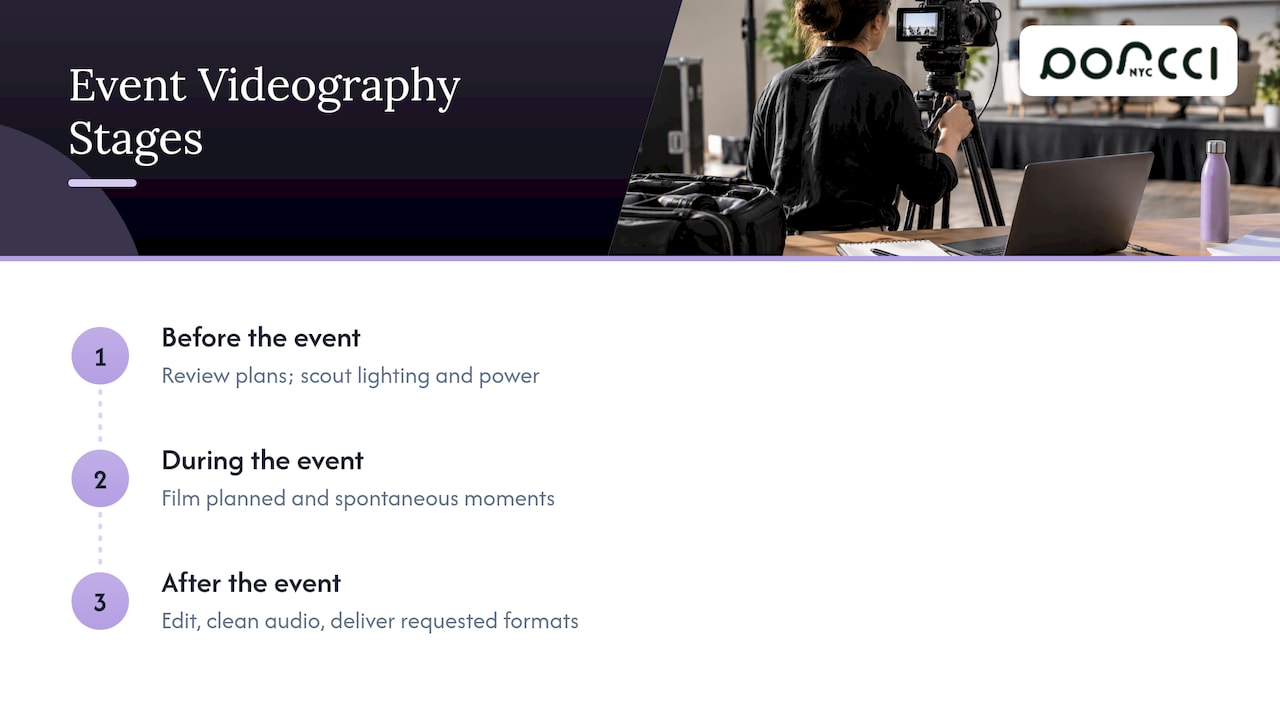
Before the event. They learn the schedule, the venue, the speakers and what you want the video to do. They scout lighting and power, and agree where cameras can stand without blocking guests or sight lines.
During the event. They capture the planned moments (keynote, award, product reveal, ribbon cutting) and the unplanned ones (a laugh at the networking hour, a team cheering). Good coverage mixes wide shots that show the room, medium shots of people speaking and close shots of reactions and details.
After the event. They edit, add titles and music, clean up the audio and deliver files in the formats you asked for.
A photographer captures still moments. A videographer captures movement and sound, which means they care about things photographers do not: microphone feeds, room noise, stage lighting that flickers on camera and how long a speaker holds a pause.
Planners often say “we want video” and leave it there. Then the crew shoots everything and nobody knows what to do with it. Start from the end use.
Cvent’s guide to event videos for B2B marketers describes video as useful at every stage of an event: teasers to build early interest, livestreams and quick social edits to widen access, and post-event recaps such as key takeaways, speaker quotes and session summaries that work as follow-up content. Here is how that translates into things you can order.
| Format | Typical length | Best for |
|---|---|---|
| Event teaser | 30 to 60 seconds | Promoting next year’s event or building excitement before a launch |
| Highlight reel | 1 to 3 minutes | Website, social channels, sponsor thank-yous |
| Speaker clips | 30 to 90 seconds each | Email campaigns, social posts, sales follow-up |
| Full session recordings | Full length of the talk | Attendees who missed it, internal training, on-demand access |
| Testimonials and interviews | 30 to 90 seconds each | Sales teams, sponsors, recruiting |
| Behind-the-scenes | 1 to 2 minutes | Team culture, employer branding |
| Livestream | Live | Remote staff and clients who cannot travel |
The lengths above are practical rules of thumb for how people watch, not a standard. Shorter almost always travels further online.
• Conference or summit: full session recordings, speaker clips and a highlight reel.
• Product launch: a teaser, a reveal-moment cut and customer or press reactions.
• Company party or offsite: a short highlight reel and candid moments. People want to see themselves having fun.
• Team building day: behind-the-scenes footage, group moments and a recap you can send to the whole team the next week.
• Awards dinner: each winner’s moment as its own clip, so honorees can share it.
Cvent’s John Hunter makes a point worth taking seriously: organizers now build a content plan alongside the run of show instead of treating video as a last task, because what gets filmed can matter as much as what is said on stage. He suggests using video across the attendee journey, with teasers in ads, speaker quotes in email and recaps in nurture flows, and putting session recordings behind a form so viewers become leads (same Cvent guide).
You do not need a big marketing machine to use that idea. Write down three answers before you contact anyone:
1. Who will watch this? Prospects, current clients, employees, investors, the next year’s attendees.
2. Where will it live? Website, LinkedIn, email, an internal portal, a screen at next year’s event.
3. What should they do after watching? Register, reply, book a demo, feel proud of their team.
Those three answers tell you which formats to order and which moments to prioritize.
A shot list is a short document listing what the videographer must capture and when. It does not have to be fancy. One page is enough.
Take your schedule and mark every moment that matters on camera. Add the time, the location in the venue and who is involved. Examples:
• Doors open and guest arrival, wide and close shots of check-in and name badges
• Opening remarks from the CEO
• Keynote or panel, with cutaways to the audience
• Product demo or reveal
• Awards or recognition
• Networking, coffee and meals
• Sponsor booths and branded signage
• Entertainment, such as a karaoke round, a DJ set or a photo booth line
• Closing remarks and departure
List the five to ten people who must be on camera: speakers, executives, honorees, sponsors and any client you want to interview. Give the videographer photos or point them out at the start. Nothing wastes a day like hunting for the right person at the right minute.
Signage, stage design, table settings, product displays and the venue itself. These cutaway shots make an edit feel polished and give the editor something to cover transitions.
The best recap videos show people reacting. Ask for crowd shots during big moments, laughter, applause and conversation. If your event includes entertainment, give it a slot on the list. A packed karaoke corner or a line at a photo booth says more about company culture than a slide ever will.
A clear brief saves hours of editing and avoids the “that is not what we wanted” email. Send these items at least a week ahead.
• Purpose and audience from the three questions above.
• Run of show with start and end times.
• Shot list and people list.
• Venue details: address, load-in time, power access, any rules about camera positions or recording, and a contact at the venue.
• Deliverables: which formats, how many, what length, what file types and the deadline.
• Brand guidelines: logo files, fonts, colors and any music preferences or restrictions.
• Sensitive content: anything that should not be filmed, such as confidential slides, a closed-door session or guests who prefer not to appear.
• One approver: a single person at your company who gives final feedback. Edits by committee slow everything down.
For events open to guests or the public, post a short notice at registration that filming is taking place. For recordings of sessions, check with speakers beforehand about whether their talk can be shared. Your legal or HR contact can tell you what your company requires.

Viewers forgive a slightly soft image. They do not forgive bad audio. A speaker who is hard to hear, a mic that crackles or a room with echo will sink even beautiful footage.
What helps:
• A clean feed from the sound system to the camera, so the videographer records the same audio the room hears.
• Wireless microphones that are tested before doors open.
• Even stage and room lighting. Mixed light from windows, spotlights and overhead fixtures makes faces look uneven on camera.
• A venue walk-through or tech check before guests arrive.
This is why we suggest planning video together with your AV. Porcci NYC offers AV and sound system packages at $210 for the Small Party Package, $310 for the Medium Events Package, $440 for the Bigger Events Package and $550 for the Ultimate Package, plus lighting and event staffing. For a deeper look at gear for bigger rooms, see our planner’s guide to large corporate event equipment. If a term in a vendor quote is unfamiliar, our corporate event AV glossary explains it in plain language.
Corporate event videography is quoted per event, and quotes vary widely because events do. We do not publish a single price for videography at Porcci NYC, since the right scope depends on your day. What you can do is understand the factors every quote is built on, so you can compare like with like.
1. Hours on site. A two-hour lunch and a ten-hour conference are different jobs. Include setup time and any early arrivals.
2. Number of cameras and crew. A single operator can cover a small presentation. Multiple cameras and operators are what let you capture a stage, the audience and the networking floor at once.
3. Audio. Lavalier or handheld microphones, a feed from the room’s sound system and recorded room tone all add up to cleaner results.
4. Editing scope. A single 90-second highlight reel is a lighter edit than a recap, twelve speaker clips and a teaser.
5. Turnaround. Rush delivery, including same-day clips for social media, usually costs more than a standard schedule.
Add-ons worth pricing separately: livestreaming, interviews with a set backdrop, captions, vertical versions for social platforms and raw footage handoff.
Send each vendor the same brief: date, venue, hours, number of speakers or sessions, deliverables and deadline. Ask what is included, how many rounds of edits are covered and how long you can access the files. A quote that lists these items is far easier to judge than a single number.
| When | What to do |
|---|---|
| 6 to 8 weeks before | Define purpose, audience and formats. Request quotes. |
| 3 to 4 weeks before | Confirm the videographer. Share run of show and venue details. |
| 1 to 2 weeks before | Send the shot list, people list and brand files. Confirm AV and lighting plans. |
| Day before | Confirm load-in time, parking and a day-of contact. |
| Event day | Crew arrives early, tests audio and lighting, then films to the shot list. |
| After the event | Review the first cut, send consolidated feedback from your one approver, then approve final files. |
Smaller events can compress this, and large conferences may need more lead time. The earlier you book, the more choice you have on date and crew.
• No purpose. Footage with no destination ends up unused.
• Sound as an afterthought. Plan microphones with your AV team first.
• Too many decision makers. Pick one approver.
• Skipping the people list. Executives and sponsors go uncaptured because nobody pointed them out.
• Filming everything the same way. Mix wide, medium and close shots, and capture reactions, not only the stage.
• Ignoring entertainment and activations. The fun moments often make the best social clips.
We plan events in New York and New Jersey, and the pattern is the same every time: the day goes by fast, and a few weeks later someone asks for a video to share. The events that look best afterward are the ones where video was planned like any other part of the program.
That means the videographer sees the run of show, the AV team knows where cameras will stand, and the lighting works for the room and the lens. It also means the entertainment gets its place on the list. A photo booth, a karaoke round or a DJ set gives your team something real to show, and people love to see themselves enjoying the day.
This is why we like to cover the full picture. Porcci NYC provides sound systems, lighting, event staffing, DJs, photo booths and videography, with setup, delivery and breakdown handled for you, so your focus stays on the guests. When one team understands the whole event, the footage comes out better and your planning load comes down.
PORCCI
If you are organizing a corporate event in NYC or New Jersey, start with our videography page. Tell us the date, the venue, the headcount and what you want the video to do. If your day also needs event staffing, we can plan that in the same conversation through our event staffing service. For ideas on the entertainment side, our guide to corporate events with karaoke, DJs and photo booths shows what works, and our corporate event planning tips for managers cover the rest of the checklist. Popular dates fill up, so booking early keeps your options open.
It is the filming and editing of a business event, such as a conference, launch, awards night or company party, into video your team can use. Typical outputs include highlight reels, speaker clips, interviews and full session recordings.
Film the moments that serve your goal: keynotes, demos, awards, attendee reactions, signage and the venue. Add short interviews with speakers, clients or sponsors. Build a shot list from your run of show so nothing important is missed.
Six to eight weeks is a comfortable window for most corporate events, and longer for large conferences. Booking early gives you more choice of date and time to align video with your AV and lighting plans.
Decide before booking. Common requests are a highlight reel, a short teaser, individual speaker clips, full session recordings and social versions of the best moments. Also confirm file formats, the number of edit rounds and the delivery date.
Many planners order both, since photos suit press and social posts while video carries the energy and the speeches. Porcci NYC offers photography, videography and photo booths, so you can plan them together.
• Event Videos: The Complete Guide for B2B Marketers (Cvent)
Plan corporate event videography with confidence: the formats to request, what a videographer delivers, a shot list, a brief and the cost factors.
Your company is about to spend weeks on a conference, a launch, an offsite or a holiday party. Corporate event videography is how that effort keeps paying off after the room empties: a recap for the people who missed it, clips for your social channels, speaker footage for sales and a record for next year’s planning. The trick is deciding what you need before the day, not after. If you plan in New York or New Jersey, Porcci NYC offers videographers for corporate events alongside the sound, lighting and staffing that decide whether the footage looks and sounds good.
This guide walks you through what an event videographer does, the formats you can ask for, how to build a shot list, how to brief a crew and what moves the price.
• Corporate event videography covers filming and editing your event into usable pieces: a recap, speaker clips, testimonials, social cuts or full session recordings.
• Decide the purpose first (marketing, sales follow-up, internal record), then pick the formats. The purpose drives every other choice.
• Give your videographer a run of show, a shot list, a list of must-capture people and moments, and a clear approval contact.
• Price depends on hours on site, number of cameras, audio needs, editing scope and turnaround. Ask for a quote built on those five.
• Good footage depends on good sound and lighting, so plan video together with your AV setup.
• TL;DR
• What an event videographer actually does
• Formats you can request, and what each is for
• Decide what the video must do
• Build a shot list that works
• How to brief your videographer
• Sound and lighting make or break the footage
• What it costs and what changes the price
• Timeline: from booking to delivery
• Mistakes that cost planners the most
• Plan your event video with Porcci NYC
• FAQ
• Sources
An event videographer films your event and turns the footage into finished video. That sounds simple, but the job has three parts.
Before the event. They learn the schedule, the venue, the speakers and what you want the video to do. They scout lighting and power, and agree where cameras can stand without blocking guests or sight lines.
During the event. They capture the planned moments (keynote, award, product reveal, ribbon cutting) and the unplanned ones (a laugh at the networking hour, a team cheering). Good coverage mixes wide shots that show the room, medium shots of people speaking and close shots of reactions and details.
After the event. They edit, add titles and music, clean up the audio and deliver files in the formats you asked for.
A photographer captures still moments. A videographer captures movement and sound, which means they care about things photographers do not: microphone feeds, room noise, stage lighting that flickers on camera and how long a speaker holds a pause.
Planners often say “we want video” and leave it there. Then the crew shoots everything and nobody knows what to do with it. Start from the end use.
Cvent’s guide to event videos for B2B marketers describes video as useful at every stage of an event: teasers to build early interest, livestreams and quick social edits to widen access, and post-event recaps such as key takeaways, speaker quotes and session summaries that work as follow-up content. Here is how that translates into things you can order.
| Format | Typical length | Best for |
|---|---|---|
| Event teaser | 30 to 60 seconds | Promoting next year’s event or building excitement before a launch |
| Highlight reel | 1 to 3 minutes | Website, social channels, sponsor thank-yous |
| Speaker clips | 30 to 90 seconds each | Email campaigns, social posts, sales follow-up |
| Full session recordings | Full length of the talk | Attendees who missed it, internal training, on-demand access |
| Testimonials and interviews | 30 to 90 seconds each | Sales teams, sponsors, recruiting |
| Behind-the-scenes | 1 to 2 minutes | Team culture, employer branding |
| Livestream | Live | Remote staff and clients who cannot travel |
The lengths above are practical rules of thumb for how people watch, not a standard. Shorter almost always travels further online.
• Conference or summit: full session recordings, speaker clips and a highlight reel.
• Product launch: a teaser, a reveal-moment cut and customer or press reactions.
• Company party or offsite: a short highlight reel and candid moments. People want to see themselves having fun.
• Team building day: behind-the-scenes footage, group moments and a recap you can send to the whole team the next week.
• Awards dinner: each winner’s moment as its own clip, so honorees can share it.
Cvent’s John Hunter makes a point worth taking seriously: organizers now build a content plan alongside the run of show instead of treating video as a last task, because what gets filmed can matter as much as what is said on stage. He suggests using video across the attendee journey, with teasers in ads, speaker quotes in email and recaps in nurture flows, and putting session recordings behind a form so viewers become leads (same Cvent guide).
You do not need a big marketing machine to use that idea. Write down three answers before you contact anyone:
1. Who will watch this? Prospects, current clients, employees, investors, the next year’s attendees.
2. Where will it live? Website, LinkedIn, email, an internal portal, a screen at next year’s event.
3. What should they do after watching? Register, reply, book a demo, feel proud of their team.
Those three answers tell you which formats to order and which moments to prioritize.
A shot list is a short document listing what the videographer must capture and when. It does not have to be fancy. One page is enough.
Take your schedule and mark every moment that matters on camera. Add the time, the location in the venue and who is involved. Examples:
• Doors open and guest arrival, wide and close shots of check-in and name badges
• Opening remarks from the CEO
• Keynote or panel, with cutaways to the audience
• Product demo or reveal
• Awards or recognition
• Networking, coffee and meals
• Sponsor booths and branded signage
• Entertainment, such as a karaoke round, a DJ set or a photo booth line
• Closing remarks and departure
List the five to ten people who must be on camera: speakers, executives, honorees, sponsors and any client you want to interview. Give the videographer photos or point them out at the start. Nothing wastes a day like hunting for the right person at the right minute.
Signage, stage design, table settings, product displays and the venue itself. These cutaway shots make an edit feel polished and give the editor something to cover transitions.
The best recap videos show people reacting. Ask for crowd shots during big moments, laughter, applause and conversation. If your event includes entertainment, give it a slot on the list. A packed karaoke corner or a line at a photo booth says more about company culture than a slide ever will.
A clear brief saves hours of editing and avoids the “that is not what we wanted” email. Send these items at least a week ahead.
• Purpose and audience from the three questions above.
• Run of show with start and end times.
• Shot list and people list.
• Venue details: address, load-in time, power access, any rules about camera positions or recording, and a contact at the venue.
• Deliverables: which formats, how many, what length, what file types and the deadline.
• Brand guidelines: logo files, fonts, colors and any music preferences or restrictions.
• Sensitive content: anything that should not be filmed, such as confidential slides, a closed-door session or guests who prefer not to appear.
• One approver: a single person at your company who gives final feedback. Edits by committee slow everything down.
For events open to guests or the public, post a short notice at registration that filming is taking place. For recordings of sessions, check with speakers beforehand about whether their talk can be shared. Your legal or HR contact can tell you what your company requires.
Viewers forgive a slightly soft image. They do not forgive bad audio. A speaker who is hard to hear, a mic that crackles or a room with echo will sink even beautiful footage.
What helps:
• A clean feed from the sound system to the camera, so the videographer records the same audio the room hears.
• Wireless microphones that are tested before doors open.
• Even stage and room lighting. Mixed light from windows, spotlights and overhead fixtures makes faces look uneven on camera.
• A venue walk-through or tech check before guests arrive.
This is why we suggest planning video together with your AV. Porcci NYC offers AV and sound system packages at $210 for the Small Party Package, $310 for the Medium Events Package, $440 for the Bigger Events Package and $550 for the Ultimate Package, plus lighting and event staffing. For a deeper look at gear for bigger rooms, see our planner’s guide to large corporate event equipment. If a term in a vendor quote is unfamiliar, our corporate event AV glossary explains it in plain language.
Corporate event videography is quoted per event, and quotes vary widely because events do. We do not publish a single price for videography at Porcci NYC, since the right scope depends on your day. What you can do is understand the factors every quote is built on, so you can compare like with like.
1. Hours on site. A two-hour lunch and a ten-hour conference are different jobs. Include setup time and any early arrivals.
2. Number of cameras and crew. A single operator can cover a small presentation. Multiple cameras and operators are what let you capture a stage, the audience and the networking floor at once.
3. Audio. Lavalier or handheld microphones, a feed from the room’s sound system and recorded room tone all add up to cleaner results.
4. Editing scope. A single 90-second highlight reel is a lighter edit than a recap, twelve speaker clips and a teaser.
5. Turnaround. Rush delivery, including same-day clips for social media, usually costs more than a standard schedule.
Add-ons worth pricing separately: livestreaming, interviews with a set backdrop, captions, vertical versions for social platforms and raw footage handoff.
Send each vendor the same brief: date, venue, hours, number of speakers or sessions, deliverables and deadline. Ask what is included, how many rounds of edits are covered and how long you can access the files. A quote that lists these items is far easier to judge than a single number.
| When | What to do |
|---|---|
| 6 to 8 weeks before | Define purpose, audience and formats. Request quotes. |
| 3 to 4 weeks before | Confirm the videographer. Share run of show and venue details. |
| 1 to 2 weeks before | Send the shot list, people list and brand files. Confirm AV and lighting plans. |
| Day before | Confirm load-in time, parking and a day-of contact. |
| Event day | Crew arrives early, tests audio and lighting, then films to the shot list. |
| After the event | Review the first cut, send consolidated feedback from your one approver, then approve final files. |
Smaller events can compress this, and large conferences may need more lead time. The earlier you book, the more choice you have on date and crew.
• No purpose. Footage with no destination ends up unused.
• Sound as an afterthought. Plan microphones with your AV team first.
• Too many decision makers. Pick one approver.
• Skipping the people list. Executives and sponsors go uncaptured because nobody pointed them out.
• Filming everything the same way. Mix wide, medium and close shots, and capture reactions, not only the stage.
• Ignoring entertainment and activations. The fun moments often make the best social clips.
We plan events in New York and New Jersey, and the pattern is the same every time: the day goes by fast, and a few weeks later someone asks for a video to share. The events that look best afterward are the ones where video was planned like any other part of the program.
That means the videographer sees the run of show, the AV team knows where cameras will stand, and the lighting works for the room and the lens. It also means the entertainment gets its place on the list. A photo booth, a karaoke round or a DJ set gives your team something real to show, and people love to see themselves enjoying the day.
This is why we like to cover the full picture. Porcci NYC provides sound systems, lighting, event staffing, DJs, photo booths and videography, with setup, delivery and breakdown handled for you, so your focus stays on the guests. When one team understands the whole event, the footage comes out better and your planning load comes down.
PORCCI
If you are organizing a corporate event in NYC or New Jersey, start with our videography page. Tell us the date, the venue, the headcount and what you want the video to do. If your day also needs event staffing, we can plan that in the same conversation through our event staffing service. For ideas on the entertainment side, our guide to corporate events with karaoke, DJs and photo booths shows what works, and our corporate event planning tips for managers cover the rest of the checklist. Popular dates fill up, so booking early keeps your options open.
It is the filming and editing of a business event, such as a conference, launch, awards night or company party, into video your team can use. Typical outputs include highlight reels, speaker clips, interviews and full session recordings.
Film the moments that serve your goal: keynotes, demos, awards, attendee reactions, signage and the venue. Add short interviews with speakers, clients or sponsors. Build a shot list from your run of show so nothing important is missed.
Six to eight weeks is a comfortable window for most corporate events, and longer for large conferences. Booking early gives you more choice of date and time to align video with your AV and lighting plans.
Decide before booking. Common requests are a highlight reel, a short teaser, individual speaker clips, full session recordings and social versions of the best moments. Also confirm file formats, the number of edit rounds and the delivery date.
Many planners order both, since photos suit press and social posts while video carries the energy and the speeches. Porcci NYC offers photography, videography and photo booths, so you can plan them together.
• Event Videos: The Complete Guide for B2B Marketers (Cvent)