Plan a flawless karaoke party in NY/NJ with our step-by-step workflow covering equipment, sign-ups, crowd energy, and tech troubleshooting for private and corporate events.
A karaoke party that fizzles into awkward silence is more common than you’d think. Guests stare at the song list, nobody wants to go first, and the energy never recovers. The difference between that scenario and a night people talk about for months comes down to one thing: a repeatable, well-tested workflow. Whether you’re organizing a birthday bash in a Brooklyn loft or a corporate team-building event in Hoboken, this guide walks you through every stage, from gear selection to crowd energy management, so your focus stays on the fun rather than the logistics.
• Essential preparation: Karaoke party tools, themes, and guest planning
• Building your karaoke event workflow: An actionable step-by-step plan
• Managing sign-ups, playlists, and crowd energy
• Troubleshooting and edge cases: Tech glitches, shy guests, and big-audience solutions
• Why most karaoke party guides fall short—and what actually works
• Get seamless karaoke entertainment for your next NY/NJ event
| Point | Details |
|---|---|
| Preparation is everything | Careful planning and equipment testing prevent most party mishaps and awkward moments. |
| Structure boosts engagement | A clear workflow, including sign-ups and diverse playlists, keeps energy high and guests involved. |
| Professional help pays off | Hiring karaoke DJs or pro equipment can streamline bigger or corporate events for a seamless experience. |
| Edge cases matter | Anticipate shy guests and tech issues with group songs and backup solutions for smooth operation. |
Every successful karaoke event starts well before the first guest arrives. A detailed checklist is not just a convenience; it’s the backbone of smooth execution. When you know exactly what equipment you need, what theme you’re running, and how many people are attending, you eliminate the last-minute scrambles that derail even the best intentions.
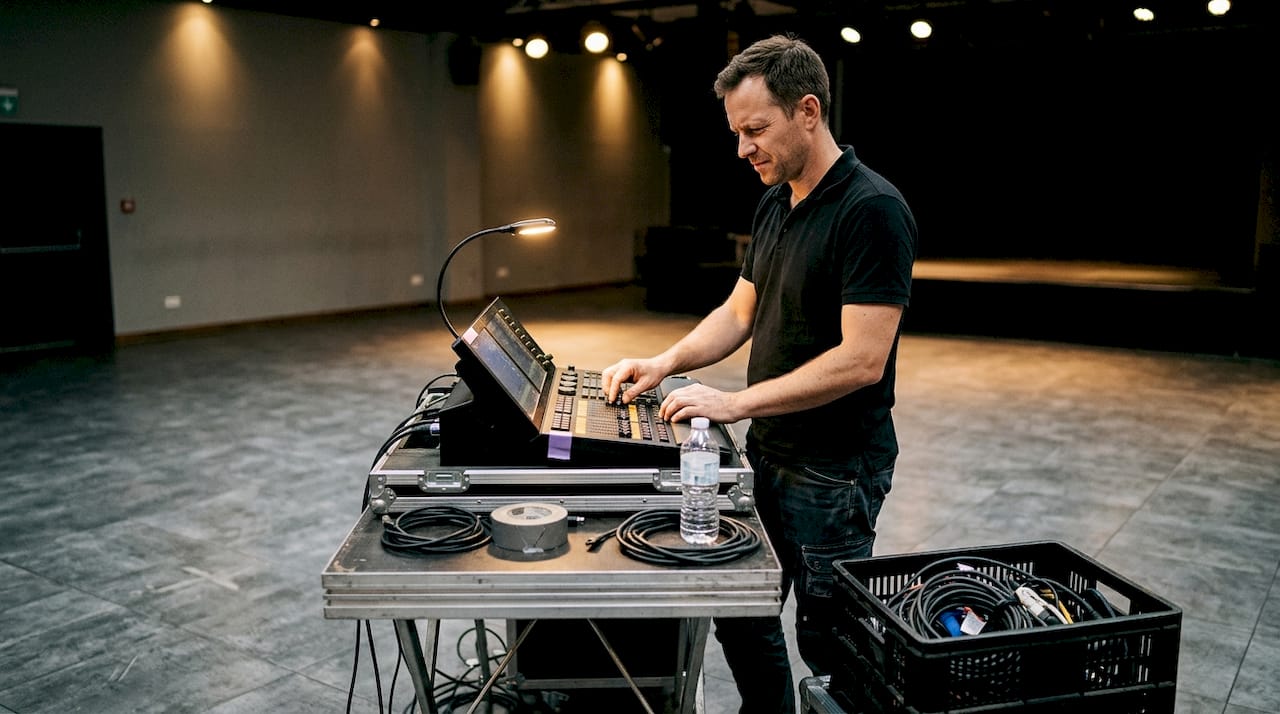
According to best-practice equipment guidance, a solid karaoke setup requires a laptop or tablet, a TV or projector, an HDMI cable or Bluetooth speaker, and one to two microphones at minimum. Upgrades worth considering include a mixer, wireless microphones, and mic stands for larger rooms.
| Component | Essential | Upgrade option |
|---|---|---|
| Display | TV or projector | 4K display or dual screens |
| Audio | Bluetooth speaker | Powered PA speaker |
| Microphone | 1 wired mic | 2 wireless mics with stands |
| Source device | Laptop or tablet | Dedicated karaoke player |
| Connectivity | HDMI cable | Audio mixer with EQ |
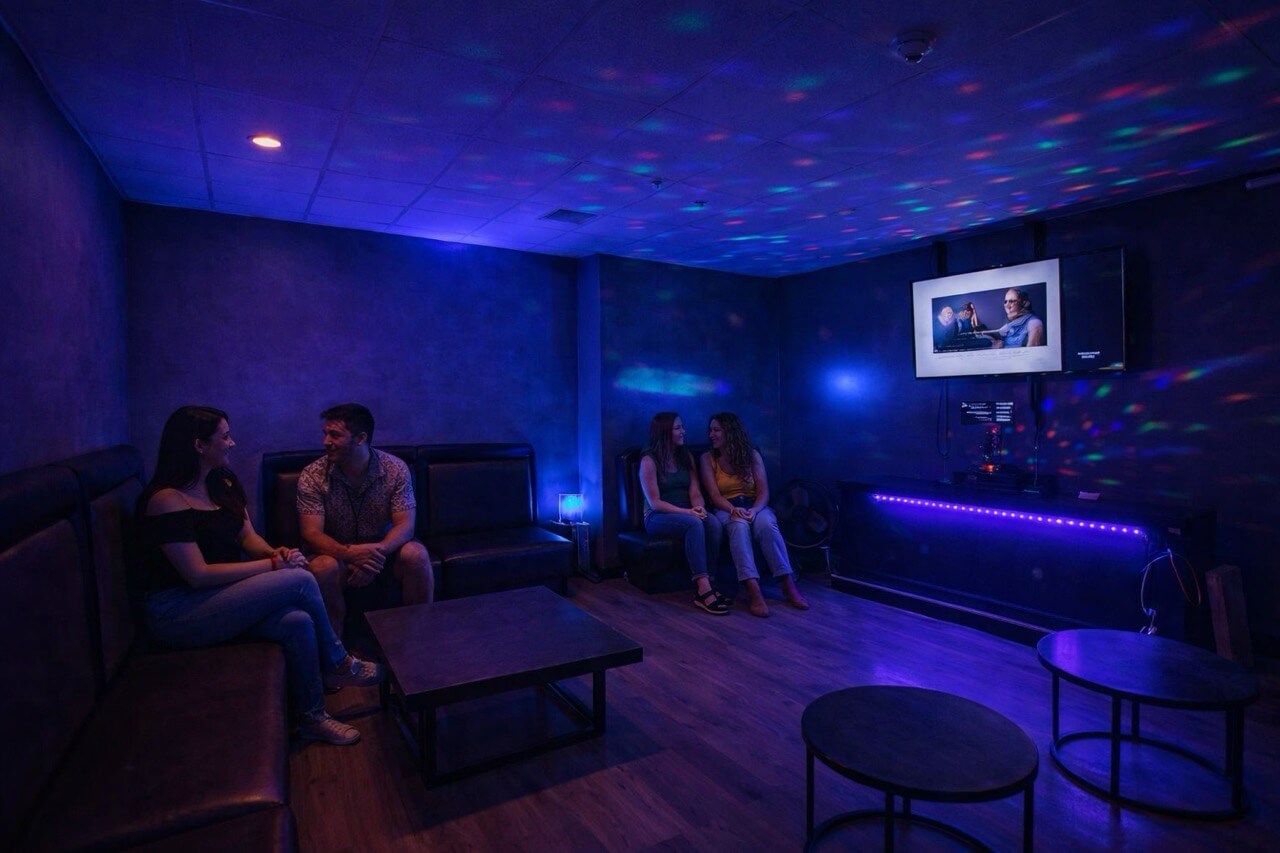
For NY/NJ events specifically, venue size shapes every equipment decision. A karaoke party in an NYC apartment calls for compact, low-latency gear that won’t overwhelm a smaller space, while a corporate ballroom in Jersey City demands a full PA system and multiple screens.
Theme selection also drives engagement before anyone steps up to the mic. Popular choices for New York and New Jersey crowds include:
• Decade nights (80s, 90s, 2000s pop) with matching dress codes
• Broadway and show tunes for theater-loving NYC guests
• Latin night featuring Spanish-language tracks for multilingual groups
• Corporate awards night where song choices tie into company milestones
Invitations should communicate the theme, confirm the venue’s parking or transit options, and set expectations around participation. A simple line like “everyone sings at least once” removes the pressure of being singled out later.
For a complete pre-event walkthrough, our karaoke setup checklist covers power, screen placement, and sound testing in detail. You can also find broader hosting tips that apply across event sizes.
Pro Tip: Run a full tech test at least 24 hours before the event. Catching a latency issue or a blown speaker the day before is manageable; discovering it 10 minutes before guests arrive is not.
With your essentials in place, you’re ready to map out the actual party workflow that sets winning events apart from forgettable ones. A structured sequence keeps energy high, minimizes downtime between singers, and ensures every guest feels included.
The core karaoke planning sequence covers theme selection, equipment setup, playlist building, sign-up management, active hosting, snack breaks, and a final tech test. Here’s how that looks as a numbered workflow:
1. Confirm theme and guest count at least one week out
2. Book or assemble equipment based on venue size and guest number
3. Build a seed playlist of 20 to 30 crowd-pleasing songs across genres
4. Set up and test all tech the day before or morning of the event
5. Open the sign-up sheet as guests arrive, aiming for 8 to 10 names before starting
6. Host the first two songs yourself or assign a confident opener to break the ice
7. Rotate singers every 2 to 3 songs, inserting snack or drink breaks to maintain pacing
8. Close with a group sing-along to build collective energy at the finish
Structured events show 40% higher satisfaction compared to loosely organized ones, which makes this sequence more than just a preference; it’s a measurable advantage.

| Factor | DIY karaoke | Pro-hosted karaoke |
|---|---|---|
| Setup time | 2 to 3 hours | 30 to 60 minutes |
| Song library | Limited by app | Thousands of tracks |
| Tech support | Self-managed | On-site professional |
| Energy management | Host-dependent | Experienced MC |
| Best for | Small private parties | Corporate or large events |
For events like weddings, a wedding karaoke workflow adds ceremony-specific timing considerations. And if you’re weighing equipment formats, understanding the difference between videoke and karaoke helps you choose the right system for your crowd. For a detailed karaoke workflow with timing breakdowns, that resource is worth bookmarking.
Once your structure is set, keeping every guest engaged is where events either shine or stumble. The sign-up queue is your single most powerful tool for maintaining momentum.

A well-run sign-up and queue system keeps the rotation predictable and fair. Starting with group songs or duets pulls shy singers into the experience without the pressure of a solo spotlight. Icebreaker rounds, where everyone claps along or joins a chorus, lower the barrier even further.
Playlist curation matters more than most hosts realize. A strong list should:
• Mix decades and genres so every age group finds something familiar
• Include at least 3 to 5 group sing-along tracks (think “Don’t Stop Believin’” or “Livin’ on a Prayer”)
• Feature language variety for multilingual NY/NJ crowds
• Avoid back-to-back ballads, which slow energy dramatically
• Pre-load 10 backup songs the host can suggest when someone freezes at the mic
For corporate events, karaoke fosters team-building through inclusive formats that break down hierarchy and encourage cross-department bonding. A well-designed song rotation where the CEO and the new hire both take the mic creates memorable, equalizing moments.
“The best karaoke events we’ve seen aren’t about perfect singing. They’re about a room full of people who feel safe enough to be ridiculous together.”
Pro Tip: If energy dips mid-event, call a “crowd choice” round where guests vote on the next song by cheering. It refocuses attention and builds collective investment in what comes next.
For more on running polished corporate karaoke, our guide on corporate karaoke success covers brand-safe formats and timing. You can also explore how karaoke for team-building integrates with broader event packages. Additional party engagement ideas can round out your planning.
No matter how well you plan, what distinguishes true karaoke pros is handling the unexpected with confidence. Tech failures, crowd shyness, and scaling challenges are the three most common roadblocks, and each has a clear solution.
Common tech issues and fixes:
• Audio latency (voice lags behind music): Use a wired connection instead of Bluetooth; reduce buffer settings in your karaoke app
• Mic feedback or echo: Lower monitor volume, reposition speakers so mics don’t face them directly
• Display not connecting: Carry a spare HDMI cable and a USB-C adapter for newer laptops
• App crashing mid-song: Have a secondary device loaded with the same app as a backup
• Volume imbalance: Test mic gain levels against music volume before guests arrive
Our karaoke troubleshooting checklist walks through every connection point so nothing gets missed on event day.
For shy guests, the most effective approach is social cover. Group songs, props, and a host who goes first all reduce the fear of judgment. Backup group songs for shy singers work because participation feels collective rather than exposed.
Scaling is where DIY setups hit their limits. 68% of hosts regret not testing latency before large events, and professional hosts or DJs consistently streamline execution at scale. For events above 50 guests or any corporate function, hiring a karaoke DJ is not a luxury; it’s a practical necessity.
Pro Tip: For events over 30 people, assign a dedicated “queue manager” separate from the host. This person handles sign-ups, reminds next singers to be ready, and keeps transitions under 30 seconds.
For karaoke DJ advice on larger event formats, that resource covers what to look for when hiring professional talent.
Most karaoke guides stop at “get a machine and a song list.” That advice works for a casual Friday night with close friends. It does not work for a 75-person corporate event in Midtown or a multi-generational birthday party in Queens.
What generic guides miss is the role of local logistics. NYC venues often have strict noise ordinances, limited power outlets, and elevator-only load-in access. NJ event spaces vary wildly in acoustic quality. These realities shape every equipment and workflow decision in ways a one-size-fits-all checklist cannot anticipate.
The two factors that consistently separate good events from great ones are pre-event tech rehearsal and intentional group energy design. Tech rehearsal is not just about checking cables; it’s about simulating the full event flow so you catch timing gaps, volume mismatches, and sign-up bottlenecks before they happen in front of guests.
Group energy design means deliberately engineering moments of collective participation, not leaving them to chance. Our NYC-focused karaoke tips reflect years of real-world experience across apartments, rooftops, and event halls. The workflow in this guide is built on that same foundation.
Ready to skip the guesswork and deliver a pro experience? Planning a karaoke event in New York or New Jersey doesn’t have to mean hours of research and last-minute stress.

At Porcci NYC, we handle the heavy lifting so you don’t have to. Our karaoke machine rentals come with delivery, setup, and breakdown included, covering everything from multilingual song libraries to wireless mic packages. Need a professional to run the room? Our DJ services in NYC and NJ pair seamlessly with karaoke for a fully managed entertainment experience. Add our photo booth rentals for an extra layer of guest engagement. Whether it’s a private birthday or a corporate team event, we build the package around your vision.
You’ll need a laptop or tablet, a TV or projector, Bluetooth speakers, and at least one or two microphones. For larger events, consider upgrading to a mixer and wireless mics for better sound control.
Start with group or duet songs, use fun props, and have the host sing first. Zero-pressure strategies like crowd sing-alongs make participation feel natural rather than forced.
DIY setups are budget-friendly and work well for small gatherings. A professional karaoke DJ brings a vast song library, on-site tech support, and crowd management skills that are essential for large or corporate events.
Always test all equipment and connections before guests arrive. Keep backup mics and cables on standby so a single hardware failure doesn’t stop the show.
Plan a flawless karaoke party in NY/NJ with our step-by-step workflow covering equipment, sign-ups, crowd energy, and tech troubleshooting for private and corporate events.
A karaoke party that fizzles into awkward silence is more common than you’d think. Guests stare at the song list, nobody wants to go first, and the energy never recovers. The difference between that scenario and a night people talk about for months comes down to one thing: a repeatable, well-tested workflow. Whether you’re organizing a birthday bash in a Brooklyn loft or a corporate team-building event in Hoboken, this guide walks you through every stage, from gear selection to crowd energy management, so your focus stays on the fun rather than the logistics.
• Essential preparation: Karaoke party tools, themes, and guest planning
• Building your karaoke event workflow: An actionable step-by-step plan
• Managing sign-ups, playlists, and crowd energy
• Troubleshooting and edge cases: Tech glitches, shy guests, and big-audience solutions
• Why most karaoke party guides fall short—and what actually works
• Get seamless karaoke entertainment for your next NY/NJ event
| Point | Details |
|---|---|
| Preparation is everything | Careful planning and equipment testing prevent most party mishaps and awkward moments. |
| Structure boosts engagement | A clear workflow, including sign-ups and diverse playlists, keeps energy high and guests involved. |
| Professional help pays off | Hiring karaoke DJs or pro equipment can streamline bigger or corporate events for a seamless experience. |
| Edge cases matter | Anticipate shy guests and tech issues with group songs and backup solutions for smooth operation. |
Every successful karaoke event starts well before the first guest arrives. A detailed checklist is not just a convenience; it’s the backbone of smooth execution. When you know exactly what equipment you need, what theme you’re running, and how many people are attending, you eliminate the last-minute scrambles that derail even the best intentions.
According to best-practice equipment guidance, a solid karaoke setup requires a laptop or tablet, a TV or projector, an HDMI cable or Bluetooth speaker, and one to two microphones at minimum. Upgrades worth considering include a mixer, wireless microphones, and mic stands for larger rooms.
| Component | Essential | Upgrade option |
|---|---|---|
| Display | TV or projector | 4K display or dual screens |
| Audio | Bluetooth speaker | Powered PA speaker |
| Microphone | 1 wired mic | 2 wireless mics with stands |
| Source device | Laptop or tablet | Dedicated karaoke player |
| Connectivity | HDMI cable | Audio mixer with EQ |
For NY/NJ events specifically, venue size shapes every equipment decision. A karaoke party in an NYC apartment calls for compact, low-latency gear that won’t overwhelm a smaller space, while a corporate ballroom in Jersey City demands a full PA system and multiple screens.
Theme selection also drives engagement before anyone steps up to the mic. Popular choices for New York and New Jersey crowds include:
• Decade nights (80s, 90s, 2000s pop) with matching dress codes
• Broadway and show tunes for theater-loving NYC guests
• Latin night featuring Spanish-language tracks for multilingual groups
• Corporate awards night where song choices tie into company milestones
Invitations should communicate the theme, confirm the venue’s parking or transit options, and set expectations around participation. A simple line like “everyone sings at least once” removes the pressure of being singled out later.
For a complete pre-event walkthrough, our karaoke setup checklist covers power, screen placement, and sound testing in detail. You can also find broader hosting tips that apply across event sizes.
Pro Tip: Run a full tech test at least 24 hours before the event. Catching a latency issue or a blown speaker the day before is manageable; discovering it 10 minutes before guests arrive is not.
With your essentials in place, you’re ready to map out the actual party workflow that sets winning events apart from forgettable ones. A structured sequence keeps energy high, minimizes downtime between singers, and ensures every guest feels included.
The core karaoke planning sequence covers theme selection, equipment setup, playlist building, sign-up management, active hosting, snack breaks, and a final tech test. Here’s how that looks as a numbered workflow:
1. Confirm theme and guest count at least one week out
2. Book or assemble equipment based on venue size and guest number
3. Build a seed playlist of 20 to 30 crowd-pleasing songs across genres
4. Set up and test all tech the day before or morning of the event
5. Open the sign-up sheet as guests arrive, aiming for 8 to 10 names before starting
6. Host the first two songs yourself or assign a confident opener to break the ice
7. Rotate singers every 2 to 3 songs, inserting snack or drink breaks to maintain pacing
8. Close with a group sing-along to build collective energy at the finish
Structured events show 40% higher satisfaction compared to loosely organized ones, which makes this sequence more than just a preference; it’s a measurable advantage.
| Factor | DIY karaoke | Pro-hosted karaoke |
|---|---|---|
| Setup time | 2 to 3 hours | 30 to 60 minutes |
| Song library | Limited by app | Thousands of tracks |
| Tech support | Self-managed | On-site professional |
| Energy management | Host-dependent | Experienced MC |
| Best for | Small private parties | Corporate or large events |
For events like weddings, a wedding karaoke workflow adds ceremony-specific timing considerations. And if you’re weighing equipment formats, understanding the difference between videoke and karaoke helps you choose the right system for your crowd. For a detailed karaoke workflow with timing breakdowns, that resource is worth bookmarking.
Once your structure is set, keeping every guest engaged is where events either shine or stumble. The sign-up queue is your single most powerful tool for maintaining momentum.
A well-run sign-up and queue system keeps the rotation predictable and fair. Starting with group songs or duets pulls shy singers into the experience without the pressure of a solo spotlight. Icebreaker rounds, where everyone claps along or joins a chorus, lower the barrier even further.
Playlist curation matters more than most hosts realize. A strong list should:
• Mix decades and genres so every age group finds something familiar
• Include at least 3 to 5 group sing-along tracks (think “Don’t Stop Believin’” or “Livin’ on a Prayer”)
• Feature language variety for multilingual NY/NJ crowds
• Avoid back-to-back ballads, which slow energy dramatically
• Pre-load 10 backup songs the host can suggest when someone freezes at the mic
For corporate events, karaoke fosters team-building through inclusive formats that break down hierarchy and encourage cross-department bonding. A well-designed song rotation where the CEO and the new hire both take the mic creates memorable, equalizing moments.
“The best karaoke events we’ve seen aren’t about perfect singing. They’re about a room full of people who feel safe enough to be ridiculous together.”
Pro Tip: If energy dips mid-event, call a “crowd choice” round where guests vote on the next song by cheering. It refocuses attention and builds collective investment in what comes next.
For more on running polished corporate karaoke, our guide on corporate karaoke success covers brand-safe formats and timing. You can also explore how karaoke for team-building integrates with broader event packages. Additional party engagement ideas can round out your planning.
No matter how well you plan, what distinguishes true karaoke pros is handling the unexpected with confidence. Tech failures, crowd shyness, and scaling challenges are the three most common roadblocks, and each has a clear solution.
Common tech issues and fixes:
• Audio latency (voice lags behind music): Use a wired connection instead of Bluetooth; reduce buffer settings in your karaoke app
• Mic feedback or echo: Lower monitor volume, reposition speakers so mics don’t face them directly
• Display not connecting: Carry a spare HDMI cable and a USB-C adapter for newer laptops
• App crashing mid-song: Have a secondary device loaded with the same app as a backup
• Volume imbalance: Test mic gain levels against music volume before guests arrive
Our karaoke troubleshooting checklist walks through every connection point so nothing gets missed on event day.
For shy guests, the most effective approach is social cover. Group songs, props, and a host who goes first all reduce the fear of judgment. Backup group songs for shy singers work because participation feels collective rather than exposed.
Scaling is where DIY setups hit their limits. 68% of hosts regret not testing latency before large events, and professional hosts or DJs consistently streamline execution at scale. For events above 50 guests or any corporate function, hiring a karaoke DJ is not a luxury; it’s a practical necessity.
Pro Tip: For events over 30 people, assign a dedicated “queue manager” separate from the host. This person handles sign-ups, reminds next singers to be ready, and keeps transitions under 30 seconds.
For karaoke DJ advice on larger event formats, that resource covers what to look for when hiring professional talent.
Most karaoke guides stop at “get a machine and a song list.” That advice works for a casual Friday night with close friends. It does not work for a 75-person corporate event in Midtown or a multi-generational birthday party in Queens.
What generic guides miss is the role of local logistics. NYC venues often have strict noise ordinances, limited power outlets, and elevator-only load-in access. NJ event spaces vary wildly in acoustic quality. These realities shape every equipment and workflow decision in ways a one-size-fits-all checklist cannot anticipate.
The two factors that consistently separate good events from great ones are pre-event tech rehearsal and intentional group energy design. Tech rehearsal is not just about checking cables; it’s about simulating the full event flow so you catch timing gaps, volume mismatches, and sign-up bottlenecks before they happen in front of guests.
Group energy design means deliberately engineering moments of collective participation, not leaving them to chance. Our NYC-focused karaoke tips reflect years of real-world experience across apartments, rooftops, and event halls. The workflow in this guide is built on that same foundation.
Ready to skip the guesswork and deliver a pro experience? Planning a karaoke event in New York or New Jersey doesn’t have to mean hours of research and last-minute stress.
At Porcci NYC, we handle the heavy lifting so you don’t have to. Our karaoke machine rentals come with delivery, setup, and breakdown included, covering everything from multilingual song libraries to wireless mic packages. Need a professional to run the room? Our DJ services in NYC and NJ pair seamlessly with karaoke for a fully managed entertainment experience. Add our photo booth rentals for an extra layer of guest engagement. Whether it’s a private birthday or a corporate team event, we build the package around your vision.
You’ll need a laptop or tablet, a TV or projector, Bluetooth speakers, and at least one or two microphones. For larger events, consider upgrading to a mixer and wireless mics for better sound control.
Start with group or duet songs, use fun props, and have the host sing first. Zero-pressure strategies like crowd sing-alongs make participation feel natural rather than forced.
DIY setups are budget-friendly and work well for small gatherings. A professional karaoke DJ brings a vast song library, on-site tech support, and crowd management skills that are essential for large or corporate events.
Always test all equipment and connections before guests arrive. Keep backup mics and cables on standby so a single hardware failure doesn’t stop the show.

Want the latest updates & offers on Porcci NYC? Add your email to our VIP list. We send about 2-3 emails a month!