Discover why renting a projector in NYC is smarter than repairing. Enjoy hassle-free delivery, setup, and expert support for your events.
For most events in New York and New Jersey, the right move isn’t fixing or troubleshooting a projector yourself. It’s hiring one inside a full-service package that includes delivery, setup, calibration, and an on-site technician. That approach avoids the maintenance and ownership costs that come with buying equipment, and it guarantees a properly sized, correctly focused image with someone on hand if anything acts up mid-event.
When you request a quote, ask for:
• Delivery and pickup windows
• Setup and calibration included in the base price
• Technician hours (and whether that’s standby or a dedicated operator)
• A site visit if your venue has unusual layout or lighting
Full-service projector rental with an on-site technician consistently outperforms equipment-only hire because trained coverage catches problems before they reach the screen.
| Point | Details |
|---|---|
| Choose wet hire for high-stakes events | Weddings, keynotes, and live performances need a dedicated technician, not just dropped-off equipment. |
| Measure real throw distance | Account for obstructions and seating layout, not just raw room depth, before requesting a quote. |
| Match brightness to the room | Small lit rooms often need 3,000 to 5,000 ANSI lumens; larger or brighter venues need more. |
| Get a line-item quote | Compare delivery, setup, technician hours, and backup gear separately across vendors. |
| Porcci NYC bundles the whole package | Delivery, setup, technician staffing, and teardown come standard across NYC and New Jersey bookings. |
• What a Projector Rental Package Actually Includes
• How to Specify Your Venue’s Projector Requirements
• What Does an On-Site AV Technician Actually Do?
• Pricing, Lead Times, and What to Confirm Before You Book
• Cancellation, Rescheduling, and Refund Policies to Check
• Common Projector Problems and How Technicians Handle Them
• Matching Your AV Package to Your Event’s Actual Needs
• What to Ask Before You Book a Projector and AV Vendor
• What Most Planning Guides Get Wrong About Projector Rentals
• Book Your Projector and AV Support Through Porcci NYC
• Sources
• FAQ
Every AV quote splits into two tiers, and mixing them up is the fastest way to end up short-staffed on event day. Dry hire means equipment only: the projector, screen, and cables show up, and you or your venue staff handle setup. Wet hire means full-service, with a technician managing the gear from load-in to load-out.
A standard dry hire typically includes:
1. Projector unit matched to your room size
2. Screen (front or rear projection, depending on layout)
3. Cables and basic adapters
4. Drop-off and pickup, sometimes with a quick setup walkthrough
Full-service wet hire builds on that with:
• A dedicated technician who arrives before doors open
• A backup projector or bulb on standby
• Live monitoring during the event, not just a setup-and-leave visit
• Color and keystone adjustment so the image looks right from every seat
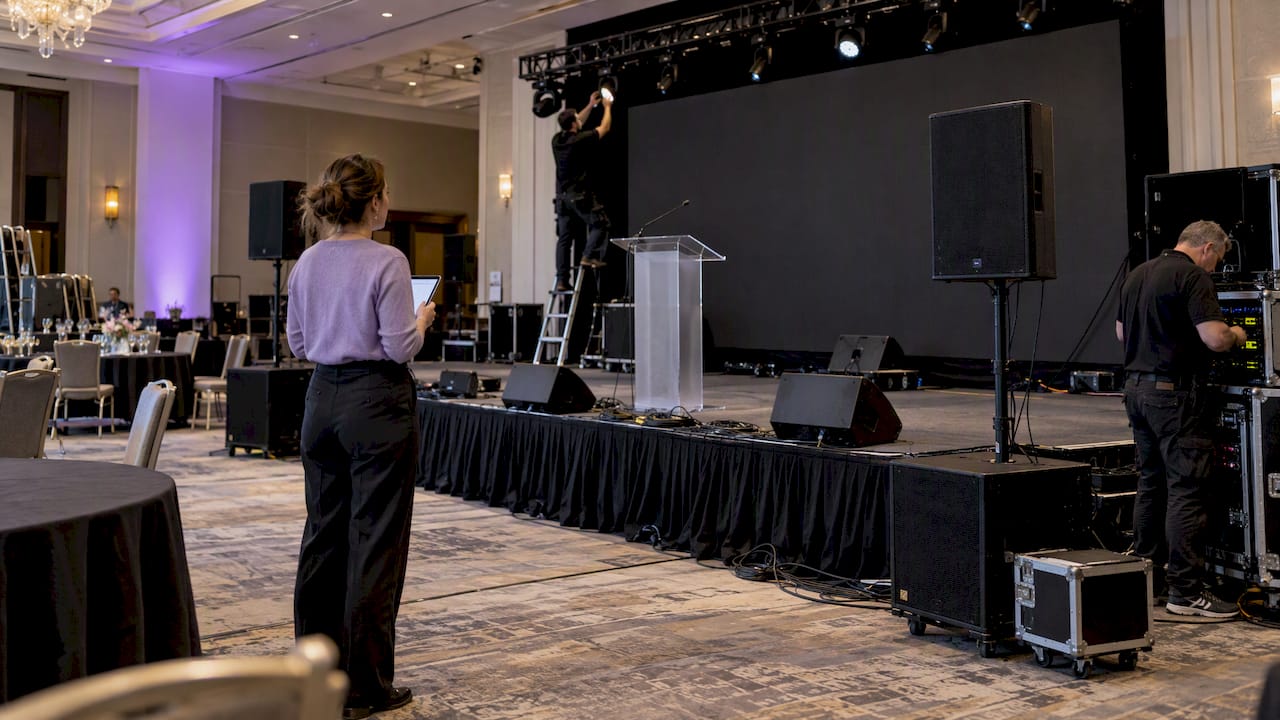
Full-service production typically covers pre-event planning, system design, testing, and load-out on top of the on-site labor, which is exactly what separates it from a bare equipment drop. Dry hire can work for a low-stakes internal meeting where someone on your team is comfortable plugging in an HDMI cable and walking away. It stops making sense the moment stakes go up. Weddings, corporate keynotes, and anything with a live performance need a technician in the room, because a dropped signal or a shifted screen during a first dance or a CEO’s opening slide isn’t something you can troubleshoot from the back row.
Get these five details nailed down before you request a quote, and your vendor can spec the right unit on the first try instead of the second.
Throw distance. Measure from where the projector will actually sit to the screen, not just the room’s total depth. Obstructions, stage risers, and seating layouts change the usable distance and dictate which lens the projector needs.
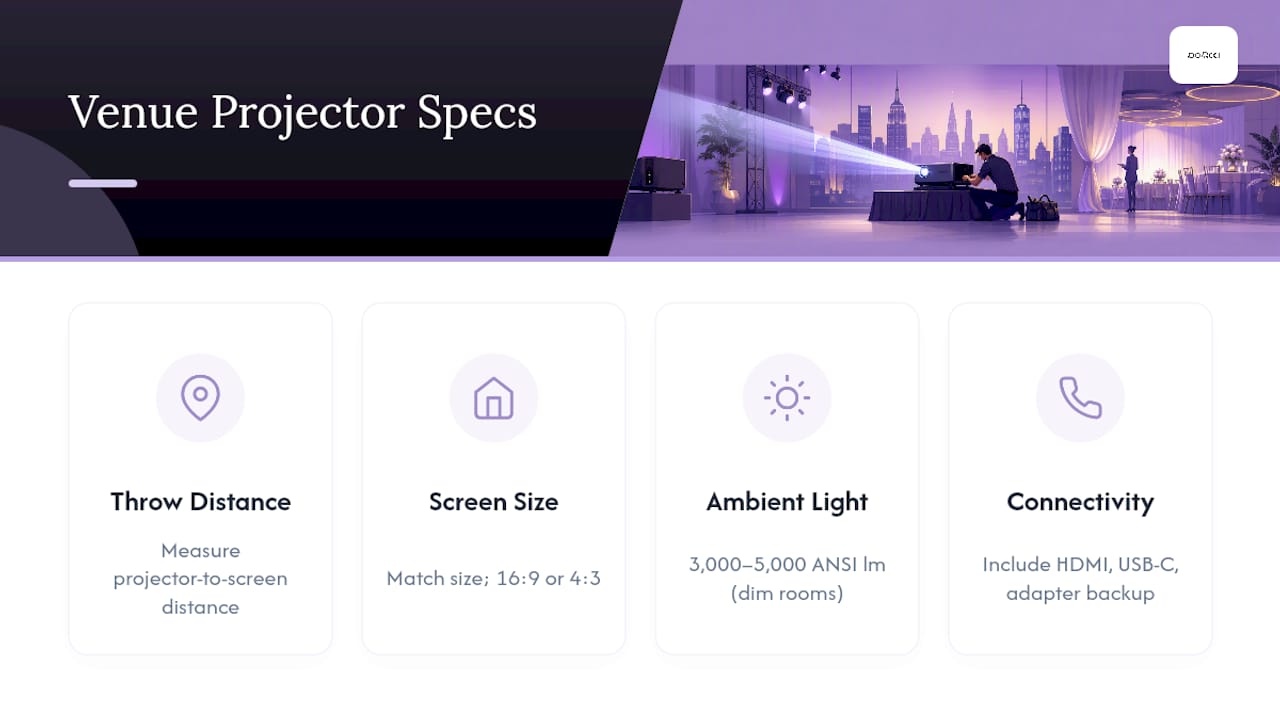
Screen size and orientation. Match your screen size and aspect ratio to your content: widescreen slides need a 16:9 screen, while older video content may call for 4:3. Confirm whether you need front projection (projector and audience on the same side) or rear projection (projector behind a translucent screen, useful when you can’t run cables through an audience area).
Ambient light. A small conference room with dimmable lights can often get away with 3,000 to 5,000 ANSI lumens, according to projector buying guidance. A ballroom with chandeliers and floor-to-ceiling windows needs considerably more brightness, and that’s a detail your vendor needs before quoting, not after setup.
Connectivity. List every device that will plug in, whether it’s a laptop, a phone, or a DJ booth switcher, and request HDMI, USB-C, and at least one adapter as backup. A single incompatible laptop cable is one of the most common last-minute failures at events.
Sightlines and access. Note any pillars, low ceilings, or aisle paths that could block the image or the projector’s mounting point.
Pro Tip: Send your vendor a floor plan or a few photos of the room before the event. A short site visit or even accurate pictures catches spec errors that otherwise only surface on install day, when there’s no time left to fix them.
A technician’s job on event day covers more than pressing the power button. Expect them to handle:
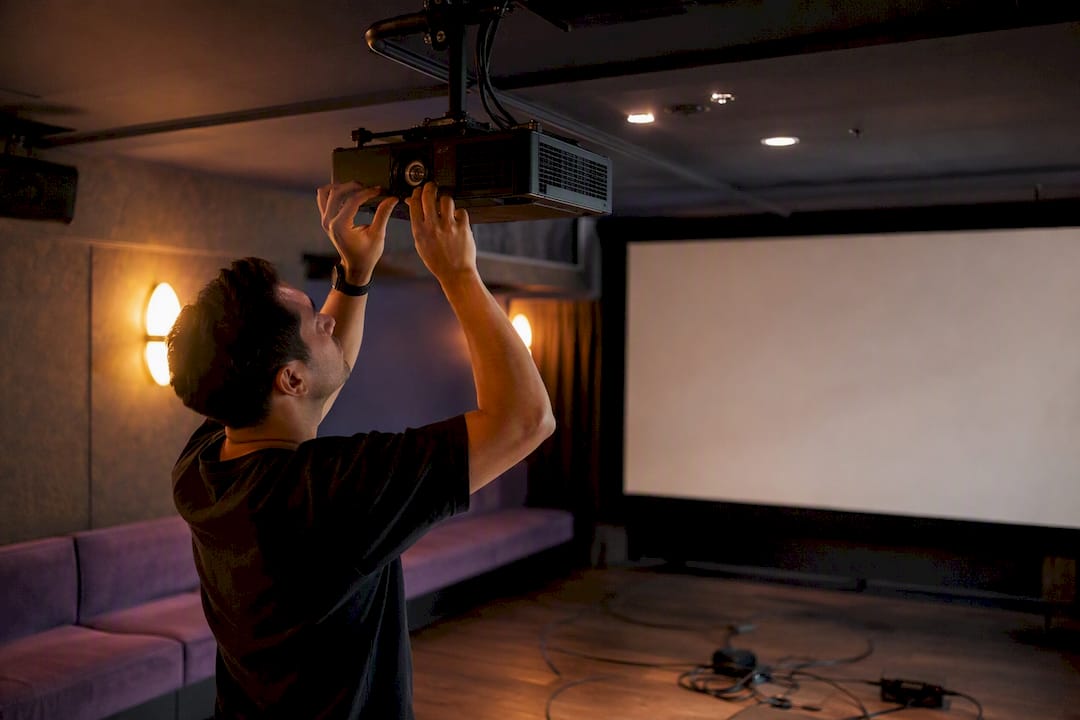
1. Install and mount the projector at the correct throw distance
2. Calibrate keystone correction and color settings, small adjustments that make an outsized difference in how sharp the image looks
3. Manage cable runs so nothing crosses a walkway or a dance floor
4. Monitor the system throughout the event and swap in backup gear if something fails
5. Break down and pack up at the end
How many technician hours you need depends heavily on event type. A short internal meeting or a small panel might only need three to four hours covering setup, a quick test, and a brief standby window. A wedding or a full corporate program usually calls for full-shift coverage, since the AV needs often run from early load-in through the final toast or closing remarks.
There’s also a real difference between show-call coverage, where a technician actively runs cues and adjustments throughout the event, and standby coverage, where they’re present but only intervening if something breaks. High-risk moments, live performances, award presentations, keynote speeches with tight timing, call for a dedicated operator rather than passive monitoring. Remote monitoring can work for a low-risk, single-room setup with a stable connection, but it’s a poor fit for anything with live cues, multiple rooms, or a program that can’t tolerate a delayed fix.
A comparable quote breaks into distinct line items, so ask your vendor to itemize:
• Base equipment rental
• Delivery and pickup
• Labor and setup time
• Technician hours, including any overtime rate
• Accessories (adapters, extra cables, mounts)
• Damage waiver or insurance
Book two to four weeks out for a standard event. Push that earlier, six to eight weeks, if your date falls during a busy wedding or corporate season, since specialized lenses and backup units get reserved fast when demand spikes. Multi-day bookings often lower the per-day rate, which is worth asking about if your event runs a rehearsal day before the main program.
Before signing, confirm venue logistics with both your vendor and the venue directly: loading dock access, parking for the AV van, elevator or stair access to the room, available power circuits, and the exact window you’ll have for load-in. Logistics, not equipment, cause a large share of day-of scrambles, so nail these down in writing rather than assuming everyone’s on the same page. Ask specifically whether backup gear is included and what the replacement turnaround looks like if a unit fails mid-event. For a deeper look at how these costs stack up across a full event, our guide to budgeting for AV rental in New York City breaks down typical ranges by package.
Read the cancellation terms before you sign, not after your date changes. Most AV rental agreements scale refunds based on how far out you cancel: full or near-full refunds are common outside 30 days, partial refunds in the two-to-four-week window, and little to no refund inside the final week, since equipment and technician time are already blocked off for your date.
Rescheduling terms usually work more favorably than outright cancellation. Many providers will shift your booking to a new date at no penalty if you give enough notice, often two weeks or more, since the equipment and staffing simply move rather than getting released back to inventory. Ask specifically whether a reschedule locks in your original quote or triggers new pricing if your new date falls in a higher-demand season.
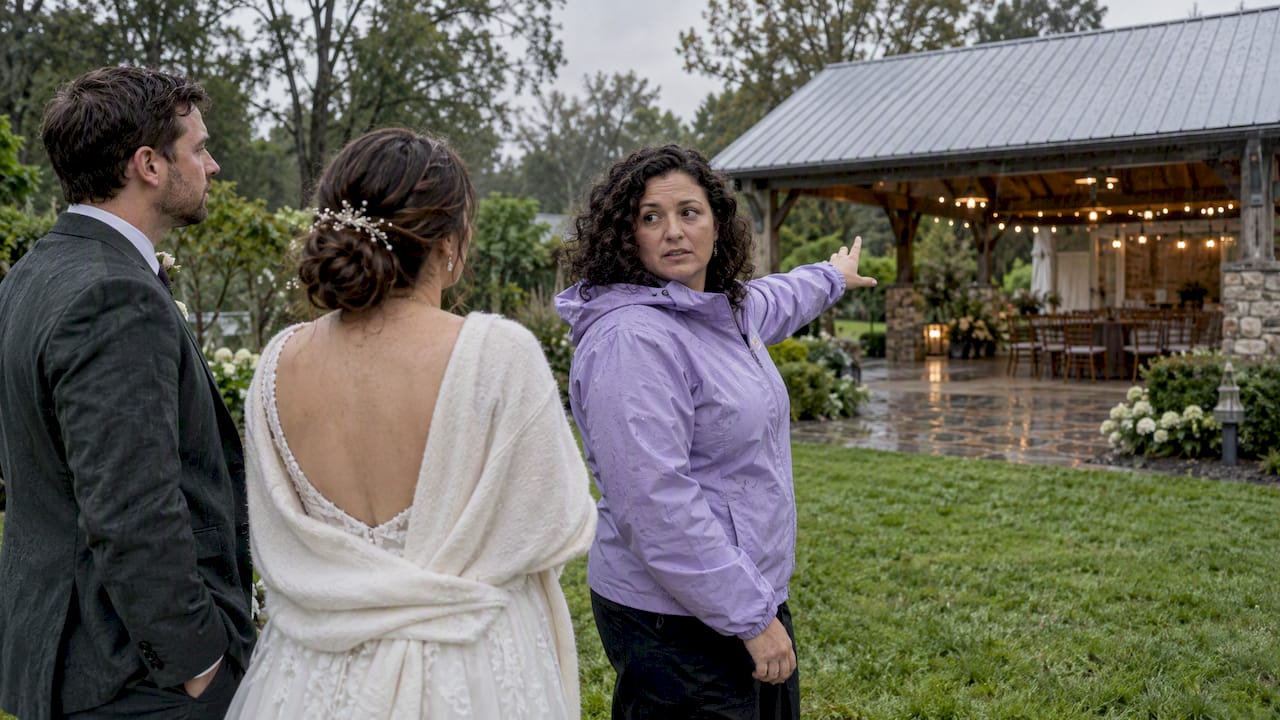
Weather and venue-side cancellations deserve their own conversation. If an outdoor event gets rained out or a venue closes unexpectedly, ask upfront how that’s handled separately from a standard client cancellation. Some providers build in a one-time reschedule allowance for circumstances outside your control.
Get every one of these terms in writing as part of your quote, not as a verbal assurance. A written policy protects both sides and gives you something concrete to point to if a date needs to move. If a vendor won’t put cancellation terms in the contract, treat that as a warning sign about how they’ll handle other disputes down the line.
Most projector issues on event day fall into a handful of predictable categories, and a technician’s value is catching them before guests notice.
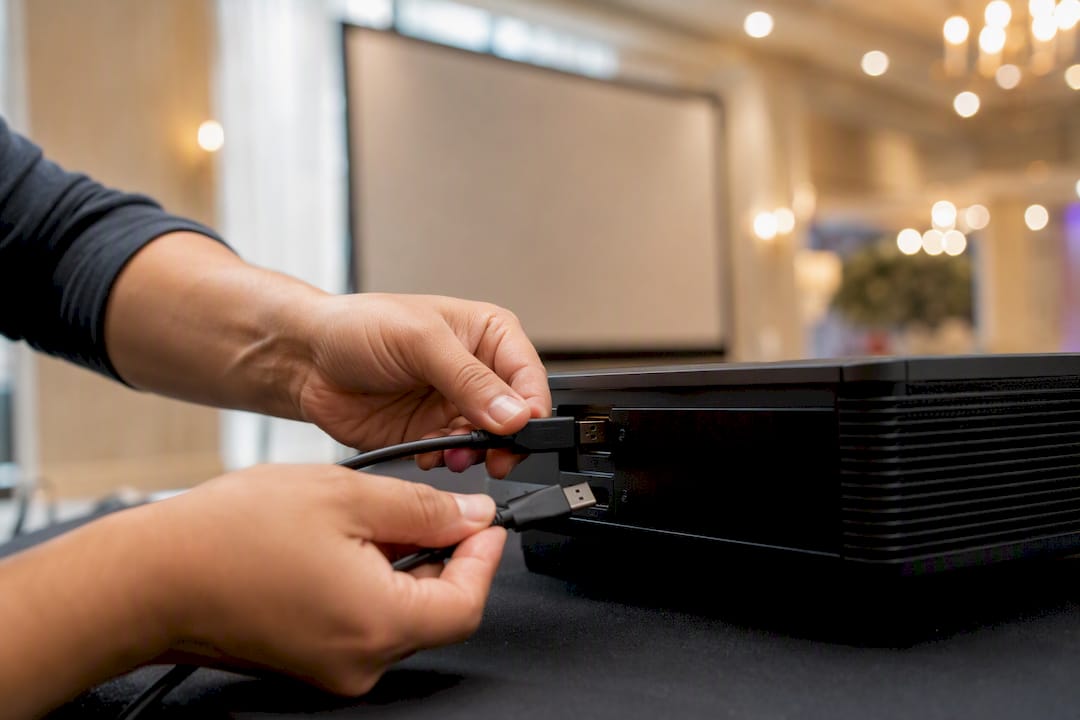
No signal or a black screen. Usually a cable or input mismatch. A technician carries backup HDMI, USB-C, and adapter cables specifically because a single incompatible laptop is one of the most frequent points of failure at live events.
Dim or washed-out image. Often means the room’s ambient light was underestimated at booking. A technician can reposition the unit, adjust settings, or in some cases swap to a brighter backup projector on the spot.
Keystone distortion or a crooked image. A quick on-site recalibration, one of the small adjustments technicians build into setup, fixes a trapezoid-shaped image caused by an off-angle mount.
Overheating or shutdown mid-event. Long events push equipment hard. A technician monitoring throughout the program catches early warning signs and can swap in a backup unit before a shutdown happens mid-presentation.
A device that won’t connect. Bluetooth pairing issues, an unrecognized display, or a laptop that needs a driver update. Having a technician troubleshoot in real time means your event doesn’t pause for ten minutes while someone googles a fix.
None of these scenarios are dramatic on their own. What turns a minor glitch into a visible problem is the absence of someone qualified to solve it quickly, which is the entire case for on-site coverage over a drop-and-go rental.
Before you call a vendor, work through three questions that shape everything else in your quote.
How many people will actually see the screen? A 20-person boardroom and a 300-guest ballroom need different brightness, different screen sizes, and often a different projector class entirely. Guest count also affects sound needs if your event pairs video with audio.
What’s actually going on the screen? Static slides tolerate more forgiveness than fast-moving video or a live camera feed. If you’re mixing a slideshow, a highlight reel, and a live speaker’s laptop, tell your vendor that upfront so they can plan for switching between sources smoothly.
How many devices need to connect, and from where? A wedding might need a laptop for a slideshow, a phone for a first-dance video, and a DJ booth feeding audio simultaneously. List every source device and where it’s physically located in the room, since that determines cable runs and how many inputs the setup needs.
Answer those three questions honestly and specifically, and you’ll give your vendor everything they need to recommend the right tier, whether that’s a modest dry hire setup for a small meeting or a full-service package with a dedicated operator for a multi-hour program with a live band and a slideshow running in parallel.
A short list of questions separates a vendor who shows up prepared from one who’s guessing along with you.
Ask directly: Who is on-site, and for how long? A quote that doesn’t specify technician hours, or whether coverage is show-call versus standby, leaves too much to assumption.
Ask about backup equipment. Confirm a backup projector or bulb is part of the package, not an upsell you’d only discover you needed after something failed. Checking inventory depth and technician staffing plans before booking tells you whether a vendor can actually cover your date if demand is high.
Ask about response times. If a technician needs to swap gear mid-event, how fast can they act, and is there a second staff member reachable if the on-site tech needs support?
Ask about technician experience with your event type. Running AV for a corporate keynote is a different skill set than running it for a wedding reception with a DJ and a live band. A vendor familiar with your format asks better questions upfront.
Finally, ask for a line-item quote rather than a flat number. That’s the only way to compare vendors fairly and confirm exactly what delivery, setup, technician hours, and backup coverage cost separately. For more on typical equipment tiers and what’s reasonable to expect at different price points, see our guide to elevating your NYC event with AV rental equipment.
Most advice on this topic treats the projector as the product and the technician as an add-on. That’s backward. The unit itself is close to a commodity; what actually determines whether your event looks professional is whether someone competent calibrated it for your specific room and stayed close enough to fix a problem before your guests noticed one.
The other overlooked piece is timing. Planners tend to think about lead time in terms of “will the equipment be available,” when the real constraint is often technician availability during peak wedding and corporate seasons. A projector sitting in a warehouse doesn’t help you if there’s no qualified operator free on your date.
If there’s one thing worth prioritizing above the rest, it’s this: measure your room and describe your event honestly before you call anyone. Vendors can only spec correctly with real numbers, not a rough guess at “medium sized room, kind of bright.”
Porcci NYC handles projector and AV rental as a curated package, not a drop-off. Every booking across NYC and New Jersey includes delivery, setup, technician staffing, and full teardown, so you’re never left figuring out cable runs or keystone adjustments on your own during load-in. We assess your venue’s throw distance and lighting ahead of time, supply the adapters and backup units your setup needs, and coordinate directly with venue staff to remove logistics risk before it becomes a day-of problem.
If your event also needs sound, lighting, or entertainment alongside the screen, our AV and sound system rental page outlines what’s available as a combined package. Planning a wedding or milestone celebration and want karaoke or a DJ running alongside your presentation? Check our karaoke machine rental options for how those packages pair together. Request a quote or a site visit through our quote page and tell us your room size, guest count, and event date, and we’ll spec the right package the first time.
• How to Choose a Projector: 2026 Expert UK Guide
Dry hire is equipment only, projector, screen, and cables, delivered without staff. Wet hire adds a technician who handles setup, calibration, monitoring, and teardown throughout the event.
Book two to four weeks ahead for most events, and six to eight weeks out during busy wedding or corporate seasons when specialized lenses and backup units get reserved quickly.
Not always. A short, low-stakes meeting with a single laptop can often work with dry hire, but anything with a live program, multiple sources, or an audience that can’t tolerate a delay benefits from at least standby coverage.
Small rooms with dimmable lighting typically need 3,000 to 5,000 ANSI lumens, while larger or brighter venues require significantly more to keep the image visible.
Yes. Porcci NYC’s full-service packages include backup units and adapters as standard, along with venue assessment and on-site technician staffing across NYC and New Jersey.
Discover why renting a projector in NYC is smarter than repairing. Enjoy hassle-free delivery, setup, and expert support for your events.
For most events in New York and New Jersey, the right move isn’t fixing or troubleshooting a projector yourself. It’s hiring one inside a full-service package that includes delivery, setup, calibration, and an on-site technician. That approach avoids the maintenance and ownership costs that come with buying equipment, and it guarantees a properly sized, correctly focused image with someone on hand if anything acts up mid-event.
When you request a quote, ask for:
• Delivery and pickup windows
• Setup and calibration included in the base price
• Technician hours (and whether that’s standby or a dedicated operator)
• A site visit if your venue has unusual layout or lighting
Full-service projector rental with an on-site technician consistently outperforms equipment-only hire because trained coverage catches problems before they reach the screen.
| Point | Details |
|---|---|
| Choose wet hire for high-stakes events | Weddings, keynotes, and live performances need a dedicated technician, not just dropped-off equipment. |
| Measure real throw distance | Account for obstructions and seating layout, not just raw room depth, before requesting a quote. |
| Match brightness to the room | Small lit rooms often need 3,000 to 5,000 ANSI lumens; larger or brighter venues need more. |
| Get a line-item quote | Compare delivery, setup, technician hours, and backup gear separately across vendors. |
| Porcci NYC bundles the whole package | Delivery, setup, technician staffing, and teardown come standard across NYC and New Jersey bookings. |
• What a Projector Rental Package Actually Includes
• How to Specify Your Venue’s Projector Requirements
• What Does an On-Site AV Technician Actually Do?
• Pricing, Lead Times, and What to Confirm Before You Book
• Cancellation, Rescheduling, and Refund Policies to Check
• Common Projector Problems and How Technicians Handle Them
• Matching Your AV Package to Your Event’s Actual Needs
• What to Ask Before You Book a Projector and AV Vendor
• What Most Planning Guides Get Wrong About Projector Rentals
• Book Your Projector and AV Support Through Porcci NYC
• Sources
• FAQ
Every AV quote splits into two tiers, and mixing them up is the fastest way to end up short-staffed on event day. Dry hire means equipment only: the projector, screen, and cables show up, and you or your venue staff handle setup. Wet hire means full-service, with a technician managing the gear from load-in to load-out.
A standard dry hire typically includes:
1. Projector unit matched to your room size
2. Screen (front or rear projection, depending on layout)
3. Cables and basic adapters
4. Drop-off and pickup, sometimes with a quick setup walkthrough
Full-service wet hire builds on that with:
• A dedicated technician who arrives before doors open
• A backup projector or bulb on standby
• Live monitoring during the event, not just a setup-and-leave visit
• Color and keystone adjustment so the image looks right from every seat
Full-service production typically covers pre-event planning, system design, testing, and load-out on top of the on-site labor, which is exactly what separates it from a bare equipment drop. Dry hire can work for a low-stakes internal meeting where someone on your team is comfortable plugging in an HDMI cable and walking away. It stops making sense the moment stakes go up. Weddings, corporate keynotes, and anything with a live performance need a technician in the room, because a dropped signal or a shifted screen during a first dance or a CEO’s opening slide isn’t something you can troubleshoot from the back row.
Get these five details nailed down before you request a quote, and your vendor can spec the right unit on the first try instead of the second.
Throw distance. Measure from where the projector will actually sit to the screen, not just the room’s total depth. Obstructions, stage risers, and seating layouts change the usable distance and dictate which lens the projector needs.
Screen size and orientation. Match your screen size and aspect ratio to your content: widescreen slides need a 16:9 screen, while older video content may call for 4:3. Confirm whether you need front projection (projector and audience on the same side) or rear projection (projector behind a translucent screen, useful when you can’t run cables through an audience area).
Ambient light. A small conference room with dimmable lights can often get away with 3,000 to 5,000 ANSI lumens, according to projector buying guidance. A ballroom with chandeliers and floor-to-ceiling windows needs considerably more brightness, and that’s a detail your vendor needs before quoting, not after setup.
Connectivity. List every device that will plug in, whether it’s a laptop, a phone, or a DJ booth switcher, and request HDMI, USB-C, and at least one adapter as backup. A single incompatible laptop cable is one of the most common last-minute failures at events.
Sightlines and access. Note any pillars, low ceilings, or aisle paths that could block the image or the projector’s mounting point.
Pro Tip: Send your vendor a floor plan or a few photos of the room before the event. A short site visit or even accurate pictures catches spec errors that otherwise only surface on install day, when there’s no time left to fix them.
A technician’s job on event day covers more than pressing the power button. Expect them to handle:
1. Install and mount the projector at the correct throw distance
2. Calibrate keystone correction and color settings, small adjustments that make an outsized difference in how sharp the image looks
3. Manage cable runs so nothing crosses a walkway or a dance floor
4. Monitor the system throughout the event and swap in backup gear if something fails
5. Break down and pack up at the end
How many technician hours you need depends heavily on event type. A short internal meeting or a small panel might only need three to four hours covering setup, a quick test, and a brief standby window. A wedding or a full corporate program usually calls for full-shift coverage, since the AV needs often run from early load-in through the final toast or closing remarks.
There’s also a real difference between show-call coverage, where a technician actively runs cues and adjustments throughout the event, and standby coverage, where they’re present but only intervening if something breaks. High-risk moments, live performances, award presentations, keynote speeches with tight timing, call for a dedicated operator rather than passive monitoring. Remote monitoring can work for a low-risk, single-room setup with a stable connection, but it’s a poor fit for anything with live cues, multiple rooms, or a program that can’t tolerate a delayed fix.
A comparable quote breaks into distinct line items, so ask your vendor to itemize:
• Base equipment rental
• Delivery and pickup
• Labor and setup time
• Technician hours, including any overtime rate
• Accessories (adapters, extra cables, mounts)
• Damage waiver or insurance
Book two to four weeks out for a standard event. Push that earlier, six to eight weeks, if your date falls during a busy wedding or corporate season, since specialized lenses and backup units get reserved fast when demand spikes. Multi-day bookings often lower the per-day rate, which is worth asking about if your event runs a rehearsal day before the main program.
Before signing, confirm venue logistics with both your vendor and the venue directly: loading dock access, parking for the AV van, elevator or stair access to the room, available power circuits, and the exact window you’ll have for load-in. Logistics, not equipment, cause a large share of day-of scrambles, so nail these down in writing rather than assuming everyone’s on the same page. Ask specifically whether backup gear is included and what the replacement turnaround looks like if a unit fails mid-event. For a deeper look at how these costs stack up across a full event, our guide to budgeting for AV rental in New York City breaks down typical ranges by package.
Read the cancellation terms before you sign, not after your date changes. Most AV rental agreements scale refunds based on how far out you cancel: full or near-full refunds are common outside 30 days, partial refunds in the two-to-four-week window, and little to no refund inside the final week, since equipment and technician time are already blocked off for your date.
Rescheduling terms usually work more favorably than outright cancellation. Many providers will shift your booking to a new date at no penalty if you give enough notice, often two weeks or more, since the equipment and staffing simply move rather than getting released back to inventory. Ask specifically whether a reschedule locks in your original quote or triggers new pricing if your new date falls in a higher-demand season.
Weather and venue-side cancellations deserve their own conversation. If an outdoor event gets rained out or a venue closes unexpectedly, ask upfront how that’s handled separately from a standard client cancellation. Some providers build in a one-time reschedule allowance for circumstances outside your control.
Get every one of these terms in writing as part of your quote, not as a verbal assurance. A written policy protects both sides and gives you something concrete to point to if a date needs to move. If a vendor won’t put cancellation terms in the contract, treat that as a warning sign about how they’ll handle other disputes down the line.
Most projector issues on event day fall into a handful of predictable categories, and a technician’s value is catching them before guests notice.
No signal or a black screen. Usually a cable or input mismatch. A technician carries backup HDMI, USB-C, and adapter cables specifically because a single incompatible laptop is one of the most frequent points of failure at live events.
Dim or washed-out image. Often means the room’s ambient light was underestimated at booking. A technician can reposition the unit, adjust settings, or in some cases swap to a brighter backup projector on the spot.
Keystone distortion or a crooked image. A quick on-site recalibration, one of the small adjustments technicians build into setup, fixes a trapezoid-shaped image caused by an off-angle mount.
Overheating or shutdown mid-event. Long events push equipment hard. A technician monitoring throughout the program catches early warning signs and can swap in a backup unit before a shutdown happens mid-presentation.
A device that won’t connect. Bluetooth pairing issues, an unrecognized display, or a laptop that needs a driver update. Having a technician troubleshoot in real time means your event doesn’t pause for ten minutes while someone googles a fix.
None of these scenarios are dramatic on their own. What turns a minor glitch into a visible problem is the absence of someone qualified to solve it quickly, which is the entire case for on-site coverage over a drop-and-go rental.
Before you call a vendor, work through three questions that shape everything else in your quote.
How many people will actually see the screen? A 20-person boardroom and a 300-guest ballroom need different brightness, different screen sizes, and often a different projector class entirely. Guest count also affects sound needs if your event pairs video with audio.
What’s actually going on the screen? Static slides tolerate more forgiveness than fast-moving video or a live camera feed. If you’re mixing a slideshow, a highlight reel, and a live speaker’s laptop, tell your vendor that upfront so they can plan for switching between sources smoothly.
How many devices need to connect, and from where? A wedding might need a laptop for a slideshow, a phone for a first-dance video, and a DJ booth feeding audio simultaneously. List every source device and where it’s physically located in the room, since that determines cable runs and how many inputs the setup needs.
Answer those three questions honestly and specifically, and you’ll give your vendor everything they need to recommend the right tier, whether that’s a modest dry hire setup for a small meeting or a full-service package with a dedicated operator for a multi-hour program with a live band and a slideshow running in parallel.
A short list of questions separates a vendor who shows up prepared from one who’s guessing along with you.
Ask directly: Who is on-site, and for how long? A quote that doesn’t specify technician hours, or whether coverage is show-call versus standby, leaves too much to assumption.
Ask about backup equipment. Confirm a backup projector or bulb is part of the package, not an upsell you’d only discover you needed after something failed. Checking inventory depth and technician staffing plans before booking tells you whether a vendor can actually cover your date if demand is high.
Ask about response times. If a technician needs to swap gear mid-event, how fast can they act, and is there a second staff member reachable if the on-site tech needs support?
Ask about technician experience with your event type. Running AV for a corporate keynote is a different skill set than running it for a wedding reception with a DJ and a live band. A vendor familiar with your format asks better questions upfront.
Finally, ask for a line-item quote rather than a flat number. That’s the only way to compare vendors fairly and confirm exactly what delivery, setup, technician hours, and backup coverage cost separately. For more on typical equipment tiers and what’s reasonable to expect at different price points, see our guide to elevating your NYC event with AV rental equipment.
Most advice on this topic treats the projector as the product and the technician as an add-on. That’s backward. The unit itself is close to a commodity; what actually determines whether your event looks professional is whether someone competent calibrated it for your specific room and stayed close enough to fix a problem before your guests noticed one.
The other overlooked piece is timing. Planners tend to think about lead time in terms of “will the equipment be available,” when the real constraint is often technician availability during peak wedding and corporate seasons. A projector sitting in a warehouse doesn’t help you if there’s no qualified operator free on your date.
If there’s one thing worth prioritizing above the rest, it’s this: measure your room and describe your event honestly before you call anyone. Vendors can only spec correctly with real numbers, not a rough guess at “medium sized room, kind of bright.”
Porcci NYC handles projector and AV rental as a curated package, not a drop-off. Every booking across NYC and New Jersey includes delivery, setup, technician staffing, and full teardown, so you’re never left figuring out cable runs or keystone adjustments on your own during load-in. We assess your venue’s throw distance and lighting ahead of time, supply the adapters and backup units your setup needs, and coordinate directly with venue staff to remove logistics risk before it becomes a day-of problem.
If your event also needs sound, lighting, or entertainment alongside the screen, our AV and sound system rental page outlines what’s available as a combined package. Planning a wedding or milestone celebration and want karaoke or a DJ running alongside your presentation? Check our karaoke machine rental options for how those packages pair together. Request a quote or a site visit through our quote page and tell us your room size, guest count, and event date, and we’ll spec the right package the first time.
• How to Choose a Projector: 2026 Expert UK Guide
Dry hire is equipment only, projector, screen, and cables, delivered without staff. Wet hire adds a technician who handles setup, calibration, monitoring, and teardown throughout the event.
Book two to four weeks ahead for most events, and six to eight weeks out during busy wedding or corporate seasons when specialized lenses and backup units get reserved quickly.
Not always. A short, low-stakes meeting with a single laptop can often work with dry hire, but anything with a live program, multiple sources, or an audience that can’t tolerate a delay benefits from at least standby coverage.
Small rooms with dimmable lighting typically need 3,000 to 5,000 ANSI lumens, while larger or brighter venues require significantly more to keep the image visible.
Yes. Porcci NYC’s full-service packages include backup units and adapters as standard, along with venue assessment and on-site technician staffing across NYC and New Jersey.