Ensure your events succeed with our comprehensive av equipment checklist 2026. Discover essential gear and trends for every occasion!
TL;DR:
• An AV equipment checklist is a detailed list of audio, video, lighting, cabling, and support gear necessary for successful event production in 2026. Proper planning, early booking of specialized gear, and thorough rehearsals are essential to avoid technical failures and ensure engaging presentations. Modern standards demand support for NDI protocols, 4K streaming, and hybrid events, requiring careful consideration of timing, redundancy, and infrastructure.
An AV equipment checklist is a structured list of audio, video, lighting, and support gear required to deliver a successful event in 2026. The industry term for this discipline is AVL planning, covering Audio, Video, and Lighting as three equal pillars of event production. Technical excellence is now a baseline expectation at live events, meaning weak AV directly causes attendee drop-off and brand damage. Whether you are planning a corporate conference, a wedding, or a hybrid gathering, your av equipment checklist 2026 determines whether the room stays engaged or loses interest in the first five minutes. We put this guide together to help you cover every category, every timing decision, and every tech trend that matters right now.
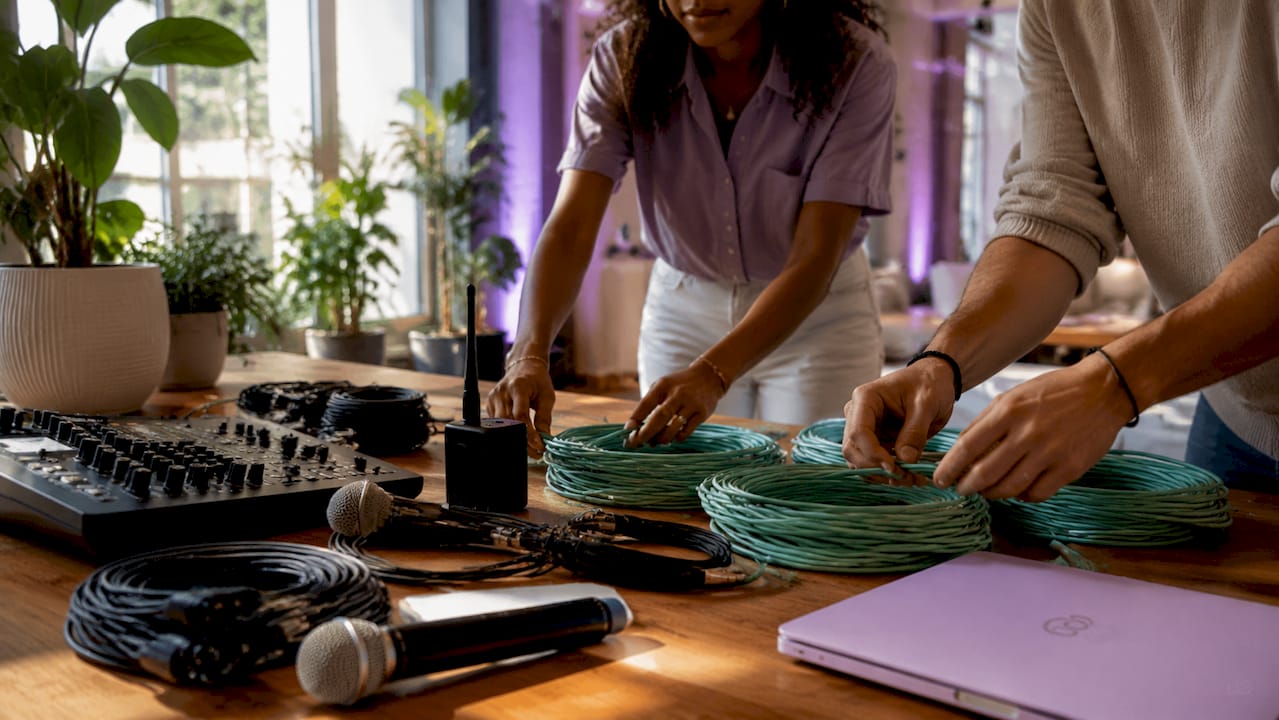
Essential AV equipment covers five core categories: audio, video, lighting, cabling, and support gear. Skipping any one of them creates gaps that show up live, in front of your audience.
Audio
• PA speakers (front-of-house and monitor speakers)
• Wireless and wired microphones (handheld, lavalier, headset)
• Audio mixers and amplifiers
• In-ear monitor systems for performers or presenters
Video
• High-resolution projectors or LED walls
• Cameras (PTZ or manned) for recording and streaming
• Video switchers for multi-source management
• Displays and confidence monitors for presenters
Lighting
• Stage lighting systems and spotlights
• Uplighting for atmosphere and branding
• Lighting control consoles
• Follow spots for keynote speakers or performers
Cabling and accessories
• HDMI, SDI, and Ethernet cables in sufficient lengths
• Power strips, extension cords, and cable ramps
• Adapters and signal converters
• Uninterruptible power supplies (UPS) for critical systems
Support gear
• Staging and risers
• Rigging hardware and truss systems
• Intercom and crew communication systems
• Control panels and signal distribution equipment
Pro Tip: Label every cable at both ends before load-in. A single unlabeled cable in a dark venue can cost you 20 minutes during setup.
The biggest shift in 2026 AV planning is the move away from SDI toward NDI protocols. NDI replaces traditional SDI infrastructure in most installations except mission-critical broadcast environments. NDI runs over standard Ethernet, which cuts cabling costs and gives you far more routing flexibility on the day.
Video resolution expectations have also moved. The baseline for live streaming is now 4K, with forward-thinking productions already preparing for 8K workflows. That means your camera selection, switcher, and encoding hardware all need to support higher data throughput than they did two years ago.
Network infrastructure is no longer optional. Dedicated AV VLANs with sufficient bandwidth prevent congestion and keep streaming quality consistent throughout your event. A shared venue Wi-Fi network is not a substitute for a dedicated wired AV network segment.
Hybrid events now require cameras, encoders, LED walls, and synchronized audio systems that serve both the room and the remote audience simultaneously. That doubles your checklist complexity compared to a fully live event.
Budget reality check: a professional live-streaming setup with 2–3 cameras and a video switcher typically costs between $2,500 and $9,000. Plan that line item early, not the week before your event.
Pro Tip: Ask your venue for a network topology diagram before finalizing your AV plan. Knowing switch locations and port counts saves hours of troubleshooting on load-in day.
Timing is where most AV plans fall apart. Specialized AV equipment and skilled crew require booking at least 3 months in advance, especially during peak season. High-end lighting rigs and LED walls need even earlier reservations than basic audio or video gear.
Here is a practical operational sequence to build into your checklist:
1. Confirm venue AV infrastructure at least 12 weeks out. Get specs on house systems, power capacity, and rigging points.
2. Book specialized equipment and crew at least 10–12 weeks out. Do not assume availability.
3. Share your run-of-show and AV specs with all vendors at least 4 weeks before the event. Sharing detailed specs and schedules weeks ahead reduces last-minute surprises for everyone involved.
4. Conduct a full tech rehearsal with the exact equipment you will use on the day. Assuming plug-and-play causes technical failures that a single run-through would have caught.
5. Build redundancy into critical systems. Have backup microphones, spare cables, and a secondary laptop loaded with all presentation files.
6. Create an AV load-in schedule with clear crew assignments and time blocks for each setup task.
Pro Tip: Run your tech rehearsal at the same time of day as your event. Lighting conditions and ambient noise change significantly between morning and evening, and your settings need to reflect that.
Not every event needs the same gear. The four-times rule gives you a reliable starting point for screen sizing: the screen diagonal should equal roughly one quarter of the distance from the screen to the furthest seat. A 60-foot room needs at least a 15-foot screen diagonal for the back row to read slides clearly.
| Event type | AV priority | Key gear additions |
|---|---|---|
| Corporate conference | Clear audio, readable displays | Confidence monitors, lavalier mics, presentation switcher |
| Hybrid event | Dual-audience sync | Cameras, encoders, streaming encoder, LED wall |
| Wedding or gala | Atmosphere and music | Uplighting, wireless mics, DJ mixer, photo booth |
| Outdoor festival | Power and weather resilience | Generator backup, weatherproof speakers, cable ramps |
| Intimate private party | Simplicity and portability | Compact PA, wireless mic, basic lighting rig |
Outdoor events add a layer of complexity that indoor planners often underestimate. Power access, cable protection from foot traffic, and weather-rated equipment all belong on your event equipment checklist before you finalize any outdoor venue.
For AV basics tailored to different event formats, the priorities shift based on audience size, venue acoustics, and whether you are streaming to a remote audience. A 50-person boardroom needs a very different audio visual equipment list than a 500-person ballroom.
A complete 2026 AV equipment checklist covers audio, video, lighting, cabling, and support gear while accounting for NDI protocols, 4K streaming standards, and hybrid event demands.
| Point | Details |
|---|---|
| Cover all five AV categories | Audio, video, lighting, cabling, and support gear each require dedicated checklist items. |
| Book specialized gear early | Reserve high-end lighting rigs and LED walls at least 3 months before your event date. |
| Run a full tech rehearsal | Test with the exact equipment you will use to catch compatibility and cabling issues in advance. |
| Apply the four-times rule | Screen diagonal should be one quarter of the distance to the furthest seat for clear visibility. |
| Plan for hybrid complexity | Hybrid events require cameras, encoders, and synchronized AV systems serving two audiences at once. |
The most common mistake we see is planners treating the AV checklist as a shopping list rather than a production plan. A list of gear without timing, redundancy, and rehearsal built in is just a wish list.
The second mistake is underestimating how much technology has shifted. NDI, 4K streaming, and hybrid event demands are not future trends. They are the current standard, and your checklist needs to reflect that. Planners who still spec out SDI-only workflows or single-camera setups for hybrid events are setting themselves up for a difficult day.
What actually works is building the checklist in layers: start with the room and audience size, then layer in the event format, then add technology requirements, and finish with timing and redundancy. That sequence forces you to make decisions in the right order. We have seen events with modest budgets run flawlessly because the planning was thorough, and we have seen expensive rigs fail because nobody ran a proper rehearsal.
Embrace the technology changes, but do not let them complicate your plan unnecessarily. The goal is always a room full of engaged people who never notice the AV because it just works.
— PORCCI
Porcci NYC provides professional AV and sound system rentals for events of every size across New York City and New Jersey, including full setup, delivery, and breakdown. Our inventory covers PA systems, wireless microphones, LED lighting, video displays, and hybrid streaming gear, all maintained to current 2026 standards. We work with corporate planners, wedding coordinators, and private hosts to match the right equipment to the right event. If your event is in Manhattan, we also offer AV equipment rental in Manhattan with dedicated technical support on-site. Reach out to Porcci NYC for a custom quote and let us handle the gear so your focus stays on the event itself.
An AV equipment checklist is a categorized list of all audio, video, lighting, cabling, and support gear needed to run an event successfully. It also includes timing, redundancy, and rehearsal steps to prevent day-of failures.
Book specialized AV equipment and crew at least 3 months in advance, particularly for LED walls, lighting rigs, and experienced technical staff during peak event season.
Hybrid events require cameras, encoders, LED walls, and synchronized audio systems that serve both the in-room audience and remote viewers at the same time.
The four-times rule states that the screen diagonal should equal roughly one quarter of the distance from the screen to the furthest seat, so every attendee can read content clearly.
A full technical run-through with the exact scheduled equipment reveals compatibility issues, cable mismatches, and signal problems that cannot be caught any other way before the event goes live.
Ensure your events succeed with our comprehensive av equipment checklist 2026. Discover essential gear and trends for every occasion!
TL;DR:
• An AV equipment checklist is a detailed list of audio, video, lighting, cabling, and support gear necessary for successful event production in 2026. Proper planning, early booking of specialized gear, and thorough rehearsals are essential to avoid technical failures and ensure engaging presentations. Modern standards demand support for NDI protocols, 4K streaming, and hybrid events, requiring careful consideration of timing, redundancy, and infrastructure.
An AV equipment checklist is a structured list of audio, video, lighting, and support gear required to deliver a successful event in 2026. The industry term for this discipline is AVL planning, covering Audio, Video, and Lighting as three equal pillars of event production. Technical excellence is now a baseline expectation at live events, meaning weak AV directly causes attendee drop-off and brand damage. Whether you are planning a corporate conference, a wedding, or a hybrid gathering, your av equipment checklist 2026 determines whether the room stays engaged or loses interest in the first five minutes. We put this guide together to help you cover every category, every timing decision, and every tech trend that matters right now.
Essential AV equipment covers five core categories: audio, video, lighting, cabling, and support gear. Skipping any one of them creates gaps that show up live, in front of your audience.
Audio
• PA speakers (front-of-house and monitor speakers)
• Wireless and wired microphones (handheld, lavalier, headset)
• Audio mixers and amplifiers
• In-ear monitor systems for performers or presenters
Video
• High-resolution projectors or LED walls
• Cameras (PTZ or manned) for recording and streaming
• Video switchers for multi-source management
• Displays and confidence monitors for presenters
Lighting
• Stage lighting systems and spotlights
• Uplighting for atmosphere and branding
• Lighting control consoles
• Follow spots for keynote speakers or performers
Cabling and accessories
• HDMI, SDI, and Ethernet cables in sufficient lengths
• Power strips, extension cords, and cable ramps
• Adapters and signal converters
• Uninterruptible power supplies (UPS) for critical systems
Support gear
• Staging and risers
• Rigging hardware and truss systems
• Intercom and crew communication systems
• Control panels and signal distribution equipment
Pro Tip: Label every cable at both ends before load-in. A single unlabeled cable in a dark venue can cost you 20 minutes during setup.
The biggest shift in 2026 AV planning is the move away from SDI toward NDI protocols. NDI replaces traditional SDI infrastructure in most installations except mission-critical broadcast environments. NDI runs over standard Ethernet, which cuts cabling costs and gives you far more routing flexibility on the day.
Video resolution expectations have also moved. The baseline for live streaming is now 4K, with forward-thinking productions already preparing for 8K workflows. That means your camera selection, switcher, and encoding hardware all need to support higher data throughput than they did two years ago.
Network infrastructure is no longer optional. Dedicated AV VLANs with sufficient bandwidth prevent congestion and keep streaming quality consistent throughout your event. A shared venue Wi-Fi network is not a substitute for a dedicated wired AV network segment.
Hybrid events now require cameras, encoders, LED walls, and synchronized audio systems that serve both the room and the remote audience simultaneously. That doubles your checklist complexity compared to a fully live event.
Budget reality check: a professional live-streaming setup with 2–3 cameras and a video switcher typically costs between $2,500 and $9,000. Plan that line item early, not the week before your event.
Pro Tip: Ask your venue for a network topology diagram before finalizing your AV plan. Knowing switch locations and port counts saves hours of troubleshooting on load-in day.
Timing is where most AV plans fall apart. Specialized AV equipment and skilled crew require booking at least 3 months in advance, especially during peak season. High-end lighting rigs and LED walls need even earlier reservations than basic audio or video gear.
Here is a practical operational sequence to build into your checklist:
1. Confirm venue AV infrastructure at least 12 weeks out. Get specs on house systems, power capacity, and rigging points.
2. Book specialized equipment and crew at least 10–12 weeks out. Do not assume availability.
3. Share your run-of-show and AV specs with all vendors at least 4 weeks before the event. Sharing detailed specs and schedules weeks ahead reduces last-minute surprises for everyone involved.
4. Conduct a full tech rehearsal with the exact equipment you will use on the day. Assuming plug-and-play causes technical failures that a single run-through would have caught.
5. Build redundancy into critical systems. Have backup microphones, spare cables, and a secondary laptop loaded with all presentation files.
6. Create an AV load-in schedule with clear crew assignments and time blocks for each setup task.
Pro Tip: Run your tech rehearsal at the same time of day as your event. Lighting conditions and ambient noise change significantly between morning and evening, and your settings need to reflect that.
Not every event needs the same gear. The four-times rule gives you a reliable starting point for screen sizing: the screen diagonal should equal roughly one quarter of the distance from the screen to the furthest seat. A 60-foot room needs at least a 15-foot screen diagonal for the back row to read slides clearly.
| Event type | AV priority | Key gear additions |
|---|---|---|
| Corporate conference | Clear audio, readable displays | Confidence monitors, lavalier mics, presentation switcher |
| Hybrid event | Dual-audience sync | Cameras, encoders, streaming encoder, LED wall |
| Wedding or gala | Atmosphere and music | Uplighting, wireless mics, DJ mixer, photo booth |
| Outdoor festival | Power and weather resilience | Generator backup, weatherproof speakers, cable ramps |
| Intimate private party | Simplicity and portability | Compact PA, wireless mic, basic lighting rig |
Outdoor events add a layer of complexity that indoor planners often underestimate. Power access, cable protection from foot traffic, and weather-rated equipment all belong on your event equipment checklist before you finalize any outdoor venue.
For AV basics tailored to different event formats, the priorities shift based on audience size, venue acoustics, and whether you are streaming to a remote audience. A 50-person boardroom needs a very different audio visual equipment list than a 500-person ballroom.
A complete 2026 AV equipment checklist covers audio, video, lighting, cabling, and support gear while accounting for NDI protocols, 4K streaming standards, and hybrid event demands.
| Point | Details |
|---|---|
| Cover all five AV categories | Audio, video, lighting, cabling, and support gear each require dedicated checklist items. |
| Book specialized gear early | Reserve high-end lighting rigs and LED walls at least 3 months before your event date. |
| Run a full tech rehearsal | Test with the exact equipment you will use to catch compatibility and cabling issues in advance. |
| Apply the four-times rule | Screen diagonal should be one quarter of the distance to the furthest seat for clear visibility. |
| Plan for hybrid complexity | Hybrid events require cameras, encoders, and synchronized AV systems serving two audiences at once. |
The most common mistake we see is planners treating the AV checklist as a shopping list rather than a production plan. A list of gear without timing, redundancy, and rehearsal built in is just a wish list.
The second mistake is underestimating how much technology has shifted. NDI, 4K streaming, and hybrid event demands are not future trends. They are the current standard, and your checklist needs to reflect that. Planners who still spec out SDI-only workflows or single-camera setups for hybrid events are setting themselves up for a difficult day.
What actually works is building the checklist in layers: start with the room and audience size, then layer in the event format, then add technology requirements, and finish with timing and redundancy. That sequence forces you to make decisions in the right order. We have seen events with modest budgets run flawlessly because the planning was thorough, and we have seen expensive rigs fail because nobody ran a proper rehearsal.
Embrace the technology changes, but do not let them complicate your plan unnecessarily. The goal is always a room full of engaged people who never notice the AV because it just works.
— PORCCI
Porcci NYC provides professional AV and sound system rentals for events of every size across New York City and New Jersey, including full setup, delivery, and breakdown. Our inventory covers PA systems, wireless microphones, LED lighting, video displays, and hybrid streaming gear, all maintained to current 2026 standards. We work with corporate planners, wedding coordinators, and private hosts to match the right equipment to the right event. If your event is in Manhattan, we also offer AV equipment rental in Manhattan with dedicated technical support on-site. Reach out to Porcci NYC for a custom quote and let us handle the gear so your focus stays on the event itself.
An AV equipment checklist is a categorized list of all audio, video, lighting, cabling, and support gear needed to run an event successfully. It also includes timing, redundancy, and rehearsal steps to prevent day-of failures.
Book specialized AV equipment and crew at least 3 months in advance, particularly for LED walls, lighting rigs, and experienced technical staff during peak event season.
Hybrid events require cameras, encoders, LED walls, and synchronized audio systems that serve both the in-room audience and remote viewers at the same time.
The four-times rule states that the screen diagonal should equal roughly one quarter of the distance from the screen to the furthest seat, so every attendee can read content clearly.
A full technical run-through with the exact scheduled equipment reveals compatibility issues, cable mismatches, and signal problems that cannot be caught any other way before the event goes live.