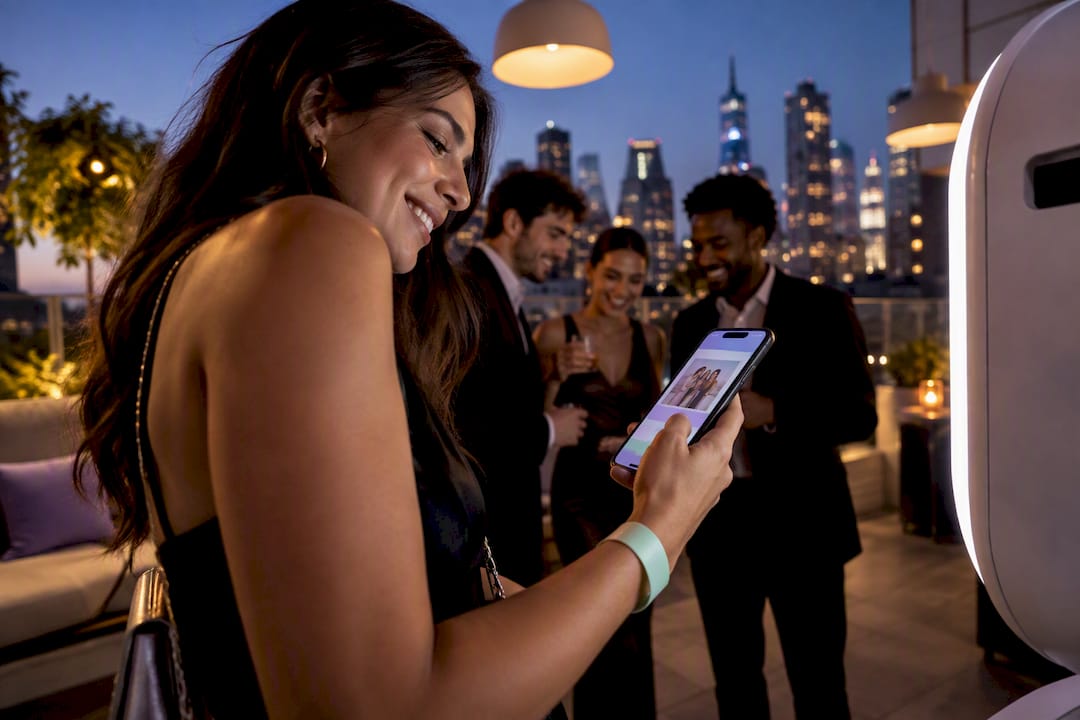
Practical playbook for planners: set up instant QR and SMS delivery, pick vertical formats, and keep booths moving with morning tests.
For events, the fastest way to get guests sharing is instant, zero-typing delivery through QR codes or SMS, paired with vertical, social-ready photos and light branding. Skip the sharing station where guests type in emails, skip the wait for prints, and let people grab their photo and post it while the moment is still happening. That’s the whole game.
TL;DR:
• QR code and SMS delivery methods are the fastest for guest sharing, with SMS providing the highest engagement and contact data collection.
• Cloud-based workflows eliminate manual transfers, reducing delivery time from minutes to seconds, but venue internet quality and connectivity are critical factors.
• Vertical and square photo formats, along with GIFs and short videos, match platform-specific displays and maximize sharing potential across social media.
• Separating capture and sharing stations keeps lines moving, with staff focusing on explaining processes and verifying connectivity through pre-event tests.
• Clear consent and privacy options, such as private galleries or PIN protection, are essential when collecting contact information and moderating guest content.
• What Is Photo Booth Social Sharing, and Which Method Wins?
• How Instant Delivery Actually Works, From Capture to Guest Phone
• Which Photo Formats Actually Get Shared
• Keeping the Line Moving: Guest Flow That Doesn’t Bottleneck
• Handling Consent, Phone Numbers, and Private Galleries
• Measuring Success: What to Actually Track
• Getting Sharing Right on Facebook, Instagram, Snapchat, and TikTok
• Writing Share Prompts and CTAs That Actually Get Used
• Tracking Engagement Beyond the Initial Share
• Moderating Guest Photos and Handling Problem Posts
• Operator Perspective From Porcci NYC: Playbook Highlights
• Book a Photo Booth Built for Instant Sharing
• Selected Resources and Tools to Dig Deeper
• Sources
• FAQ
“Photo booth social sharing” just means how guests get their photos off the booth and onto their phones so they can post them. It’s become the standard term in the event industry alongside “digital photo delivery” and “instant guest sharing.” All three describe the same goal: turning a booth photo into a shared Instagram Story before the DJ finishes the next song.
Here’s a quick breakdown of the main delivery methods and when each one earns its spot at your event:
• QR code delivery: Guests scan a code on the booth screen and land straight on their photo. Best for weddings, birthdays, and any event where speed and simplicity matter most.
• SMS/text delivery: Guests type a phone number once, get a link instantly, and can forward or post from there. This tends to drive the highest engagement of any method and doubles as a way to build a contact list, if you handle consent correctly.
• Email delivery: Slower than SMS but useful for corporate events where a company wants a clean list of attendee addresses for follow-up.
• Kiosk/sharing station: A tablet where guests type in their info manually. Reliable but slow, and the main source of line backups.
• Selfie search: Guests scan their own face into a gallery app and get matched to every photo of themselves from the event, no typing required.
The tradeoff is straightforward: QR and selfie search are fastest but capture less contact data. SMS captures a phone number and drives shares, but needs a clear opt-out. Kiosks capture the most data but slow everything down. Pick based on whether your priority is speed, data, or both.
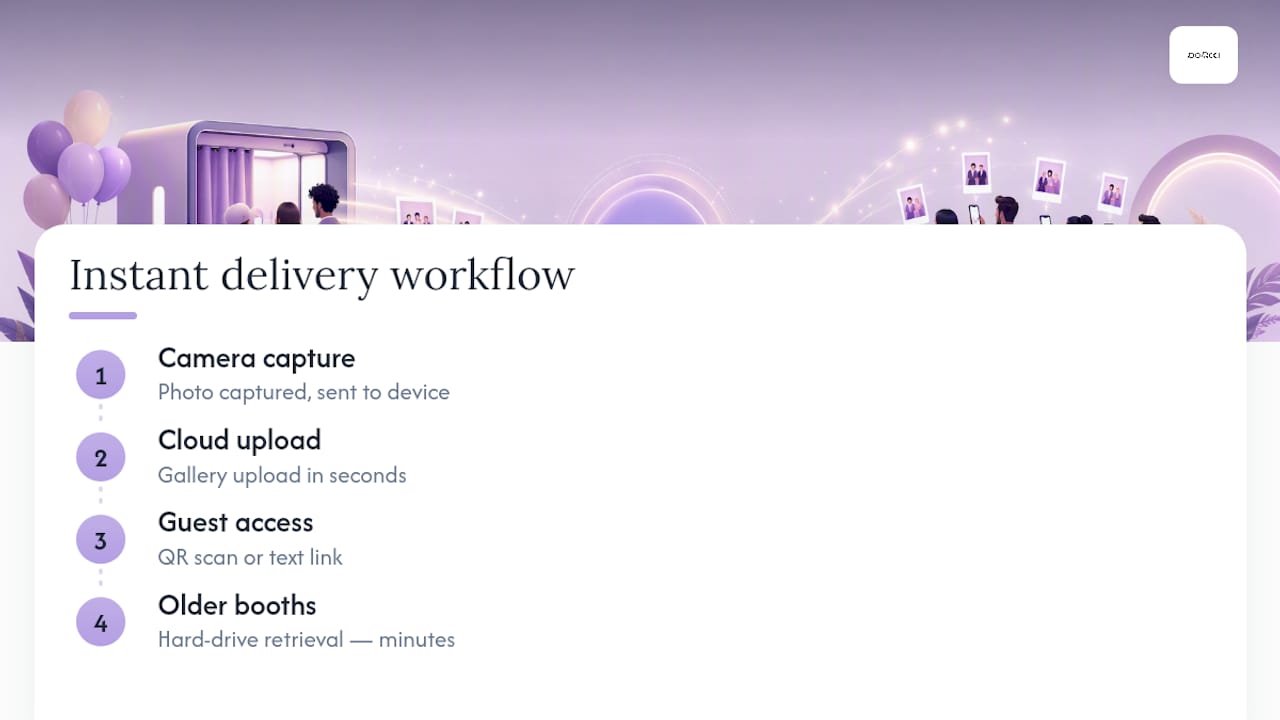
Every modern setup follows the same basic path: the camera captures the photo, it uploads to a cloud gallery in seconds, and the guest grabs it through a QR scan or a text link. That cloud step is what changed everything. Older booths dumped photos onto a hard drive and made guests wait at a station to get them. Cloud-first workflows remove that manual data entry step entirely, cutting delivery time from minutes to seconds per group.
Connectivity is the part people underestimate. A hotel ballroom with 300 phones competing for WiFi will choke a booth that relies on venue internet. Ask your vendor whether the booth uses a dedicated hotspot or cellular failover, and whether it queues uploads locally if the connection drops, so nothing gets lost when three people livestream the first dance at the same time.
On the hardware side, check what the software actually requires before you book it. Some platforms run on standard Windows tablets with a Canon DSLR or a basic webcam, and vendors publish minimum system requirements you should confirm ahead of the event, not the week before.
Pro Tip: Always run an end-to-end test the morning of the event: one photo, one QR scan, one text message, sent from the exact spot where the booth will sit. Signal strength changes room to room, and you want to know before guests do.
If the network does fail, print-first fallback and a local USB backup keep the booth running while you sort out connectivity in the background.
Vertical wins. Instagram Stories, TikTok, and Snapchat are all built for a phone held upright, so a landscape photo cropped from an old-style booth looks awkward and gets skipped over. Offer these formats and let guests pick:
• Vertical or square photo crops, sized for Stories and feed posts
• GIFs, which perform well for group shots and reactions
• Boomerangs, great for toasts, confetti, and dance floor moments
• Short video clips, ten to fifteen seconds, ideal for TikTok
• 360 spin videos, if you’ve got the booth style to support them
Branding matters, but restraint matters more. A small logo in a corner, or a single line of hashtag text along the bottom edge, does the job. Anything bigger competes with the photo itself, and guests quietly skip sharing a photo that looks like an ad. Design choices that match how each platform actually displays content consistently outperform one-size-fits-all templates.
Give guests more than one option at the delivery screen. Someone posting to a Story wants the vertical crop. Someone texting grandma wants the still photo. Offering three or four formats from a single capture costs you nothing and multiplies your shot at getting posted. If you want more format ideas by event type, our rundown of photo booth trends for 2026 covers what’s working right now.
Combining capture and sharing into one station is the single biggest reason booth lines back up. When a guest has to pose, then wait while someone types their email into a tablet, then wait again for a print, you’ve stacked three slow steps into one spot. Separate them. Capture happens fast. Sharing happens on the guest’s own phone, away from the booth, while the next group steps up.
Here’s a simple staffing and setup model that works for most events:
1. One operator runs the booth, keeps energy up, and manages props.
2. One floater manages the line, explains the QR/SMS process before guests reach the front, and keeps things moving.
3. One tech contact on call (not always on-site for smaller events) who can troubleshoot connectivity issues remotely.
Backdrop and prop placement matters more than people expect. If props sit behind the capture point, guests dig through a bin while the line waits. Stage props to the side, in view, so people choose before they step up.
Pro Tip: Run three tests before doors open: an upload speed test from camera to cloud, a QR scan test from where guests will actually stand (not from behind the booth), and a full SMS delivery test to at least two different carriers. This exact sequence is part of the pre-event checklist we run at Porcci NYC before any booth goes live.
If you’re capturing phone numbers for SMS delivery or emails for a gallery link, say so on the booth screen before guests type anything. A simple line works: “By entering your number, you’ll receive a link to your photo. Message and data rates may apply. Reply STOP to opt out.” That single sentence covers the transparency guests deserve and the opt-out language required under TCPA rules for SMS marketing.
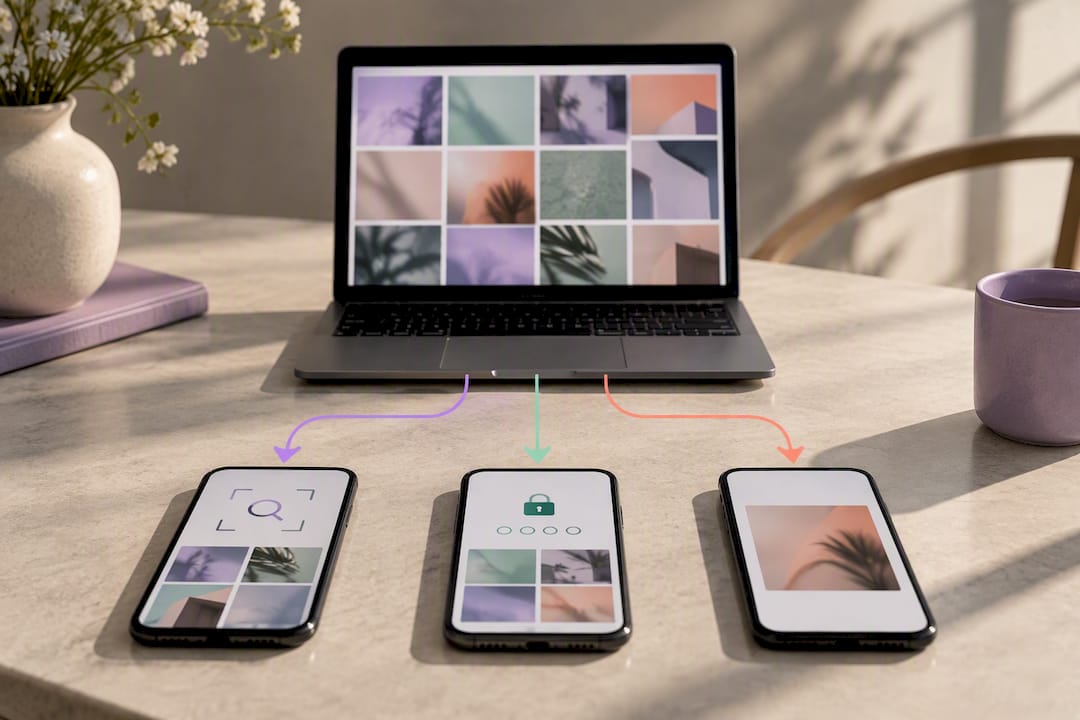
For weddings, bar and bat mitzvahs, or corporate events with sensitive attendees, a public gallery isn’t always the right call. Selfie search and PIN-protected galleries solve this by giving guests private access to only their own photos, without needing an event-wide public link that anyone could stumble onto.
If you plan to use captured emails or numbers for future marketing, keep that list separate from the event gallery, store it securely, and only export it through channels that respect the consent guests actually gave. Reusing a contact for anything beyond what you told them at the booth is where planners get into trouble.
Three numbers tell you whether the booth earned its spot at the event: share rate (shares divided by total attendees), impressions estimate (shares multiplied by average follower count for that platform), and lead capture rate (contacts collected divided by total guests). Instant delivery consistently lifts all three, because guests check galleries and share while the event is still happening, not two days later when the moment has cooled off.
A basic ROI formula planners can hand to a client: booth cost ÷ estimated impressions = cost per impression. A $880 mirror booth that generates 400 shares averaging 150 followers each produces roughly 60,000 impressions, putting cost per impression well under two cents. That’s a number worth putting in a wrap-up report.
Most gallery platforms export a shareable report showing total photos taken, shares by channel, and peak activity times. Include that export in client wrap-ups. It’s concrete proof of value that a headcount alone never captures.
Each platform has its own quirks, and a setup optimized for one can fall flat on another. Instagram rewards vertical crops for Stories and square or 4:5 crops for feed posts. Stories disappear in 24 hours, so speed matters. If a guest doesn’t get their photo in the first ten minutes after the moment happens, you’ve likely lost that particular post.
Snapchat guests almost always want something that already looks native to the app: quick, a little rough around the edges, ideally a boomerang or short clip rather than a polished still. Overly branded assets tend to get skipped on Snapchat specifically, because the platform’s whole culture leans toward unfiltered and immediate.
TikTok wants motion. A ten to fifteen second clip, a boomerang, or a GIF outperforms a static photo by a wide margin here, since the platform’s algorithm favors video over images almost across the board.
Facebook is the outlier. Guests on Facebook, often an older demographic at events like anniversaries or milestone birthdays, are more likely to download a still photo and upload it directly rather than share a link. Make sure your delivery flow includes a straightforward “save to phone” option, not just a share button, because Facebook’s own sharing flow from external links can be clunky on mobile.
The practical takeaway: offer format variety at the delivery screen rather than guessing which platform a guest prefers. A 22-year-old and a 55-year-old at the same wedding are reaching for very different apps.
The text on your delivery screen matters more than most planners assume. A flat “Share your photo” button gets ignored more often than a prompt with a little personality and a clear next step. Specific, playful language beats generic instructions almost every time.
Try prompts tied to the event itself: “Tag the happy couple and use #SmithWedding2026” pulls double duty, it prompts sharing and builds a searchable hashtag gallery for the hosts to browse later. For corporate events, something like “Show us how you’re celebrating [company]'s big night, tag us” nudges guests toward brand-relevant content without sounding like a marketing department wrote it.
Keep the actual call-to-action button copy short. “Share Now,” “Post It,” or “Send to My Phone” outperform longer instructions because guests are usually mid-conversation, holding a drink, or half paying attention to the screen. The fewer words between the guest and their photo, the higher the completion rate.
Rotate prompts through the night if you can. Early in the event, a simple “Grab your photo” works fine. Later, once the energy peaks, a slightly bolder prompt like “This one’s a keeper, share it” tends to land better, because guests are more relaxed and more willing to post.
One thing worth testing before the big day: run your CTA copy past a couple of people outside the event industry. Language that sounds sharp in a planning meeting sometimes reads as try-hard on an actual screen in someone’s hand.
Share count is the easy number. It’s also the least useful one on its own, because a share tells you nothing about what happened after. Real engagement measurement means looking at what a photo does once it’s live on a guest’s feed.
Hashtag tracking tools let you pull every post using your event’s specific hashtag across Instagram and TikTok, giving you a rough count of total posts, not just booth-side shares. This matters because plenty of guests screenshot or re-download a photo and post it without ever using the “share” button in the delivery flow, which means booth-side analytics alone will always undercount actual reach.
Platform-native insights, when a host account is tagged, show likes, comments, and reach on individual posts. If a client’s brand account gets tagged repeatedly, that data lives inside their own Instagram or TikTok analytics dashboard, not inside the booth software, so build a request for that screenshot into your post-event wrap-up process.
Link tracking on QR codes is another underused layer. A unique QR code per event, run through a link shortener that logs scans, tells you not just how many guests scanned it but roughly when, which helps correlate engagement spikes with specific moments in the night, like a first dance or a surprise toast.
None of this needs to be complicated. A simple spreadsheet tracking hashtag posts, tagged mentions, and QR scan timestamps gives most planners enough evidence to show a client the booth did real work beyond the surface share count.
Public galleries and hashtag walls are great for energy, but they need a light layer of moderation, especially at open bar events where the fifth photo of the night looks a lot different from the first. Most gallery platforms let an operator flag or remove a photo from the public wall without deleting it from the guest’s private access, which is the setting you want turned on by default.
Set expectations early with the client. Ask who has moderation access during the event, whether that’s a planner, a Porcci NYC operator, or the client themselves, and make sure that person actually has the login and the app open on their phone once the event starts. A moderation feature nobody’s watching doesn’t do anything.
For anything projected live on a screen, like a hashtag wall at a corporate event, build in a short delay, even fifteen to thirty seconds, between when a photo posts and when it displays. That buffer gives a moderator time to catch anything inappropriate before a room full of executives sees it on the big screen.
Most issues aren’t malicious, they’re just photos that don’t fit the room: an overly rowdy group shot at a corporate gala, or a photo with visible spilled drinks at a wedding. Handle these quietly. Pull the photo from the public wall, leave it in the guest’s private gallery, and move on. No announcement needed.
We lean digital-only more often than print-plus-digital when the event’s real goal is reach, not a physical keepsake. Corporate launches and milestone birthdays with a young crowd fall into that category almost every time. Staffing-wise, one floater explaining the QR flow before guests reach the booth saves more time than adding a second operator ever does. Every event, we run the same three checks: upload speed, QR scan from guest sightlines, and a full SMS delivery test to multiple carriers, exactly as outlined in our flow and staffing playbook.
— PORCCI
If you want this whole setup handled instead of assembled piece by piece, Porcci NYC runs turnkey photo booth packages built specifically for instant guest sharing, no separate sharing station, no guest typing in emails while a line backs up behind them. Choose from the Standard Photo Booth at $715, the Mirror Photo Booth at $880, or the 360 Photo Booth at $1,210, and every package includes branded overlay setup, QR and SMS delivery configured before your first guest steps up, plus full delivery, setup, and breakdown. Add an event staffing package if you want a dedicated floater keeping the line moving all night. Check availability for your date and get a quote through our photo booth rental page, a few prime weekend dates are already booking up for the season.
For more on instant delivery mechanics, see how instant sharing boosts event engagement and the breakdown of digital delivery workflows. For design and branding choices, premium sharing features guide and our own backdrop idea roundup cover format and staging in more depth.
• How Instant Photo Sharing Increases Event Engagement | Honcho
• How to Deliver Photo Booth Photos Digitally & Instantly
QR code and SMS delivery are the fastest methods, since they send guests a direct link to their photo without any typing at a station. This kind of instant delivery keeps guests engaged and sharing while the event is still happening, rather than after the moment has passed.
No. A separate sharing station usually slows down the line more than it helps, since guests wait to type in contact info before they can move on. Cloud-based delivery through QR or text lets guests grab their photo away from the booth, which keeps the line moving.
Yes, as long as you get clear consent and include opt-out instructions, which satisfies TCPA requirements for SMS communication. A simple on-screen disclosure before guests enter their number covers this requirement.
Pricing depends on the booth style. Porcci NYC’s Standard Photo Booth runs $715, the Mirror Photo Booth is $880, and the 360 Photo Booth is $1,210, each including QR and SMS sharing setup.
Vertical crops and short video clips perform best, since both platforms are built for a phone held upright. Offering GIFs and boomerangs alongside a still photo gives guests options that match how each platform actually displays content.
Practical playbook for planners: set up instant QR and SMS delivery, pick vertical formats, and keep booths moving with morning tests.
For events, the fastest way to get guests sharing is instant, zero-typing delivery through QR codes or SMS, paired with vertical, social-ready photos and light branding. Skip the sharing station where guests type in emails, skip the wait for prints, and let people grab their photo and post it while the moment is still happening. That’s the whole game.
TL;DR:
• QR code and SMS delivery methods are the fastest for guest sharing, with SMS providing the highest engagement and contact data collection.
• Cloud-based workflows eliminate manual transfers, reducing delivery time from minutes to seconds, but venue internet quality and connectivity are critical factors.
• Vertical and square photo formats, along with GIFs and short videos, match platform-specific displays and maximize sharing potential across social media.
• Separating capture and sharing stations keeps lines moving, with staff focusing on explaining processes and verifying connectivity through pre-event tests.
• Clear consent and privacy options, such as private galleries or PIN protection, are essential when collecting contact information and moderating guest content.
• What Is Photo Booth Social Sharing, and Which Method Wins?
• How Instant Delivery Actually Works, From Capture to Guest Phone
• Which Photo Formats Actually Get Shared
• Keeping the Line Moving: Guest Flow That Doesn’t Bottleneck
• Handling Consent, Phone Numbers, and Private Galleries
• Measuring Success: What to Actually Track
• Getting Sharing Right on Facebook, Instagram, Snapchat, and TikTok
• Writing Share Prompts and CTAs That Actually Get Used
• Tracking Engagement Beyond the Initial Share
• Moderating Guest Photos and Handling Problem Posts
• Operator Perspective From Porcci NYC: Playbook Highlights
• Book a Photo Booth Built for Instant Sharing
• Selected Resources and Tools to Dig Deeper
• Sources
• FAQ
“Photo booth social sharing” just means how guests get their photos off the booth and onto their phones so they can post them. It’s become the standard term in the event industry alongside “digital photo delivery” and “instant guest sharing.” All three describe the same goal: turning a booth photo into a shared Instagram Story before the DJ finishes the next song.
Here’s a quick breakdown of the main delivery methods and when each one earns its spot at your event:
• QR code delivery: Guests scan a code on the booth screen and land straight on their photo. Best for weddings, birthdays, and any event where speed and simplicity matter most.
• SMS/text delivery: Guests type a phone number once, get a link instantly, and can forward or post from there. This tends to drive the highest engagement of any method and doubles as a way to build a contact list, if you handle consent correctly.
• Email delivery: Slower than SMS but useful for corporate events where a company wants a clean list of attendee addresses for follow-up.
• Kiosk/sharing station: A tablet where guests type in their info manually. Reliable but slow, and the main source of line backups.
• Selfie search: Guests scan their own face into a gallery app and get matched to every photo of themselves from the event, no typing required.
The tradeoff is straightforward: QR and selfie search are fastest but capture less contact data. SMS captures a phone number and drives shares, but needs a clear opt-out. Kiosks capture the most data but slow everything down. Pick based on whether your priority is speed, data, or both.
Every modern setup follows the same basic path: the camera captures the photo, it uploads to a cloud gallery in seconds, and the guest grabs it through a QR scan or a text link. That cloud step is what changed everything. Older booths dumped photos onto a hard drive and made guests wait at a station to get them. Cloud-first workflows remove that manual data entry step entirely, cutting delivery time from minutes to seconds per group.
Connectivity is the part people underestimate. A hotel ballroom with 300 phones competing for WiFi will choke a booth that relies on venue internet. Ask your vendor whether the booth uses a dedicated hotspot or cellular failover, and whether it queues uploads locally if the connection drops, so nothing gets lost when three people livestream the first dance at the same time.
On the hardware side, check what the software actually requires before you book it. Some platforms run on standard Windows tablets with a Canon DSLR or a basic webcam, and vendors publish minimum system requirements you should confirm ahead of the event, not the week before.
Pro Tip: Always run an end-to-end test the morning of the event: one photo, one QR scan, one text message, sent from the exact spot where the booth will sit. Signal strength changes room to room, and you want to know before guests do.
If the network does fail, print-first fallback and a local USB backup keep the booth running while you sort out connectivity in the background.
Vertical wins. Instagram Stories, TikTok, and Snapchat are all built for a phone held upright, so a landscape photo cropped from an old-style booth looks awkward and gets skipped over. Offer these formats and let guests pick:
• Vertical or square photo crops, sized for Stories and feed posts
• GIFs, which perform well for group shots and reactions
• Boomerangs, great for toasts, confetti, and dance floor moments
• Short video clips, ten to fifteen seconds, ideal for TikTok
• 360 spin videos, if you’ve got the booth style to support them
Branding matters, but restraint matters more. A small logo in a corner, or a single line of hashtag text along the bottom edge, does the job. Anything bigger competes with the photo itself, and guests quietly skip sharing a photo that looks like an ad. Design choices that match how each platform actually displays content consistently outperform one-size-fits-all templates.
Give guests more than one option at the delivery screen. Someone posting to a Story wants the vertical crop. Someone texting grandma wants the still photo. Offering three or four formats from a single capture costs you nothing and multiplies your shot at getting posted. If you want more format ideas by event type, our rundown of photo booth trends for 2026 covers what’s working right now.
Combining capture and sharing into one station is the single biggest reason booth lines back up. When a guest has to pose, then wait while someone types their email into a tablet, then wait again for a print, you’ve stacked three slow steps into one spot. Separate them. Capture happens fast. Sharing happens on the guest’s own phone, away from the booth, while the next group steps up.
Here’s a simple staffing and setup model that works for most events:
1. One operator runs the booth, keeps energy up, and manages props.
2. One floater manages the line, explains the QR/SMS process before guests reach the front, and keeps things moving.
3. One tech contact on call (not always on-site for smaller events) who can troubleshoot connectivity issues remotely.
Backdrop and prop placement matters more than people expect. If props sit behind the capture point, guests dig through a bin while the line waits. Stage props to the side, in view, so people choose before they step up.
Pro Tip: Run three tests before doors open: an upload speed test from camera to cloud, a QR scan test from where guests will actually stand (not from behind the booth), and a full SMS delivery test to at least two different carriers. This exact sequence is part of the pre-event checklist we run at Porcci NYC before any booth goes live.
If you’re capturing phone numbers for SMS delivery or emails for a gallery link, say so on the booth screen before guests type anything. A simple line works: “By entering your number, you’ll receive a link to your photo. Message and data rates may apply. Reply STOP to opt out.” That single sentence covers the transparency guests deserve and the opt-out language required under TCPA rules for SMS marketing.
For weddings, bar and bat mitzvahs, or corporate events with sensitive attendees, a public gallery isn’t always the right call. Selfie search and PIN-protected galleries solve this by giving guests private access to only their own photos, without needing an event-wide public link that anyone could stumble onto.
If you plan to use captured emails or numbers for future marketing, keep that list separate from the event gallery, store it securely, and only export it through channels that respect the consent guests actually gave. Reusing a contact for anything beyond what you told them at the booth is where planners get into trouble.
Three numbers tell you whether the booth earned its spot at the event: share rate (shares divided by total attendees), impressions estimate (shares multiplied by average follower count for that platform), and lead capture rate (contacts collected divided by total guests). Instant delivery consistently lifts all three, because guests check galleries and share while the event is still happening, not two days later when the moment has cooled off.
A basic ROI formula planners can hand to a client: booth cost ÷ estimated impressions = cost per impression. A $880 mirror booth that generates 400 shares averaging 150 followers each produces roughly 60,000 impressions, putting cost per impression well under two cents. That’s a number worth putting in a wrap-up report.
Most gallery platforms export a shareable report showing total photos taken, shares by channel, and peak activity times. Include that export in client wrap-ups. It’s concrete proof of value that a headcount alone never captures.
Each platform has its own quirks, and a setup optimized for one can fall flat on another. Instagram rewards vertical crops for Stories and square or 4:5 crops for feed posts. Stories disappear in 24 hours, so speed matters. If a guest doesn’t get their photo in the first ten minutes after the moment happens, you’ve likely lost that particular post.
Snapchat guests almost always want something that already looks native to the app: quick, a little rough around the edges, ideally a boomerang or short clip rather than a polished still. Overly branded assets tend to get skipped on Snapchat specifically, because the platform’s whole culture leans toward unfiltered and immediate.
TikTok wants motion. A ten to fifteen second clip, a boomerang, or a GIF outperforms a static photo by a wide margin here, since the platform’s algorithm favors video over images almost across the board.
Facebook is the outlier. Guests on Facebook, often an older demographic at events like anniversaries or milestone birthdays, are more likely to download a still photo and upload it directly rather than share a link. Make sure your delivery flow includes a straightforward “save to phone” option, not just a share button, because Facebook’s own sharing flow from external links can be clunky on mobile.
The practical takeaway: offer format variety at the delivery screen rather than guessing which platform a guest prefers. A 22-year-old and a 55-year-old at the same wedding are reaching for very different apps.
The text on your delivery screen matters more than most planners assume. A flat “Share your photo” button gets ignored more often than a prompt with a little personality and a clear next step. Specific, playful language beats generic instructions almost every time.
Try prompts tied to the event itself: “Tag the happy couple and use #SmithWedding2026” pulls double duty, it prompts sharing and builds a searchable hashtag gallery for the hosts to browse later. For corporate events, something like “Show us how you’re celebrating [company]'s big night, tag us” nudges guests toward brand-relevant content without sounding like a marketing department wrote it.
Keep the actual call-to-action button copy short. “Share Now,” “Post It,” or “Send to My Phone” outperform longer instructions because guests are usually mid-conversation, holding a drink, or half paying attention to the screen. The fewer words between the guest and their photo, the higher the completion rate.
Rotate prompts through the night if you can. Early in the event, a simple “Grab your photo” works fine. Later, once the energy peaks, a slightly bolder prompt like “This one’s a keeper, share it” tends to land better, because guests are more relaxed and more willing to post.
One thing worth testing before the big day: run your CTA copy past a couple of people outside the event industry. Language that sounds sharp in a planning meeting sometimes reads as try-hard on an actual screen in someone’s hand.
Share count is the easy number. It’s also the least useful one on its own, because a share tells you nothing about what happened after. Real engagement measurement means looking at what a photo does once it’s live on a guest’s feed.
Hashtag tracking tools let you pull every post using your event’s specific hashtag across Instagram and TikTok, giving you a rough count of total posts, not just booth-side shares. This matters because plenty of guests screenshot or re-download a photo and post it without ever using the “share” button in the delivery flow, which means booth-side analytics alone will always undercount actual reach.
Platform-native insights, when a host account is tagged, show likes, comments, and reach on individual posts. If a client’s brand account gets tagged repeatedly, that data lives inside their own Instagram or TikTok analytics dashboard, not inside the booth software, so build a request for that screenshot into your post-event wrap-up process.
Link tracking on QR codes is another underused layer. A unique QR code per event, run through a link shortener that logs scans, tells you not just how many guests scanned it but roughly when, which helps correlate engagement spikes with specific moments in the night, like a first dance or a surprise toast.
None of this needs to be complicated. A simple spreadsheet tracking hashtag posts, tagged mentions, and QR scan timestamps gives most planners enough evidence to show a client the booth did real work beyond the surface share count.
Public galleries and hashtag walls are great for energy, but they need a light layer of moderation, especially at open bar events where the fifth photo of the night looks a lot different from the first. Most gallery platforms let an operator flag or remove a photo from the public wall without deleting it from the guest’s private access, which is the setting you want turned on by default.
Set expectations early with the client. Ask who has moderation access during the event, whether that’s a planner, a Porcci NYC operator, or the client themselves, and make sure that person actually has the login and the app open on their phone once the event starts. A moderation feature nobody’s watching doesn’t do anything.
For anything projected live on a screen, like a hashtag wall at a corporate event, build in a short delay, even fifteen to thirty seconds, between when a photo posts and when it displays. That buffer gives a moderator time to catch anything inappropriate before a room full of executives sees it on the big screen.
Most issues aren’t malicious, they’re just photos that don’t fit the room: an overly rowdy group shot at a corporate gala, or a photo with visible spilled drinks at a wedding. Handle these quietly. Pull the photo from the public wall, leave it in the guest’s private gallery, and move on. No announcement needed.
We lean digital-only more often than print-plus-digital when the event’s real goal is reach, not a physical keepsake. Corporate launches and milestone birthdays with a young crowd fall into that category almost every time. Staffing-wise, one floater explaining the QR flow before guests reach the booth saves more time than adding a second operator ever does. Every event, we run the same three checks: upload speed, QR scan from guest sightlines, and a full SMS delivery test to multiple carriers, exactly as outlined in our flow and staffing playbook.
— PORCCI
If you want this whole setup handled instead of assembled piece by piece, Porcci NYC runs turnkey photo booth packages built specifically for instant guest sharing, no separate sharing station, no guest typing in emails while a line backs up behind them. Choose from the Standard Photo Booth at $715, the Mirror Photo Booth at $880, or the 360 Photo Booth at $1,210, and every package includes branded overlay setup, QR and SMS delivery configured before your first guest steps up, plus full delivery, setup, and breakdown. Add an event staffing package if you want a dedicated floater keeping the line moving all night. Check availability for your date and get a quote through our photo booth rental page, a few prime weekend dates are already booking up for the season.
For more on instant delivery mechanics, see how instant sharing boosts event engagement and the breakdown of digital delivery workflows. For design and branding choices, premium sharing features guide and our own backdrop idea roundup cover format and staging in more depth.
• How Instant Photo Sharing Increases Event Engagement | Honcho
• How to Deliver Photo Booth Photos Digitally & Instantly
QR code and SMS delivery are the fastest methods, since they send guests a direct link to their photo without any typing at a station. This kind of instant delivery keeps guests engaged and sharing while the event is still happening, rather than after the moment has passed.
No. A separate sharing station usually slows down the line more than it helps, since guests wait to type in contact info before they can move on. Cloud-based delivery through QR or text lets guests grab their photo away from the booth, which keeps the line moving.
Yes, as long as you get clear consent and include opt-out instructions, which satisfies TCPA requirements for SMS communication. A simple on-screen disclosure before guests enter their number covers this requirement.
Pricing depends on the booth style. Porcci NYC’s Standard Photo Booth runs $715, the Mirror Photo Booth is $880, and the 360 Photo Booth is $1,210, each including QR and SMS sharing setup.
Vertical crops and short video clips perform best, since both platforms are built for a phone held upright. Offering GIFs and boomerangs alongside a still photo gives guests options that match how each platform actually displays content.


