
Discover what is event RSVP management and learn how to streamline guest responses for better planning, logistics, and stress-free events.
Event RSVP management is the systematic process of collecting, tracking, and organizing guest attendance responses so you can make confident decisions about venue capacity, catering, seating, and staffing. The term RSVP comes from the French phrase “répondez s’il vous plaît,” which translates simply to “please respond.” Without a reliable system behind that request, even a well-planned event can unravel fast.
At its core, managing RSVPs means more than counting yeses and nos. It means maintaining an accurate, up-to-date guest list that feeds directly into every logistical decision you make. Here’s what a complete RSVP management process covers:
• Collecting responses through a consistent, centralized channel
• Tracking confirmed, pending, and declined guests in real time
• Capturing additional details like meal preferences, plus-ones, and accessibility needs
• Setting and communicating a clear response deadline
• Following up with guests who haven’t replied
• Updating vendor and venue commitments as your headcount firms up
The shift from manual spreadsheets to digital RSVP systems has made this process far more reliable. Manual spreadsheets cause errors and inefficiencies that centralized online tools eliminate by automating updates and consolidating all guest data in one place.
Getting your RSVP process right pays off across every part of your event. The most direct benefit is an accurate headcount, which protects your catering budget from costly over-ordering or the embarrassment of running short. Beyond that, knowing who’s coming lets you allocate staffing, arrange seating, and plan entertainment with real numbers rather than estimates.
Effective RSVP management also improves the guest experience. When you know a guest has a dietary restriction or needs accessible seating, you can prepare in advance rather than scrambling on the day. That kind of attention builds trust and makes guests feel genuinely welcomed.
Key benefits at a glance:
• Accurate headcount prevents over-catering and under-staffing
• Better budget control across food, rentals, and venue space
• Ability to capture guest preferences and special requirements early
• Reduced last-minute stress from unknown attendance numbers
• Cleaner communication with vendors who need firm commitments
• A more personalized, professional experience for every guest
The most frequent RSVP problem is scattered responses. Guests reply by text, email, phone call, and social media comment, leaving you to manually piece together a headcount from five different places. The fix is straightforward: direct every guest to one response channel, ideally a single invitation link, and make clear that replies sent elsewhere won’t be tracked.
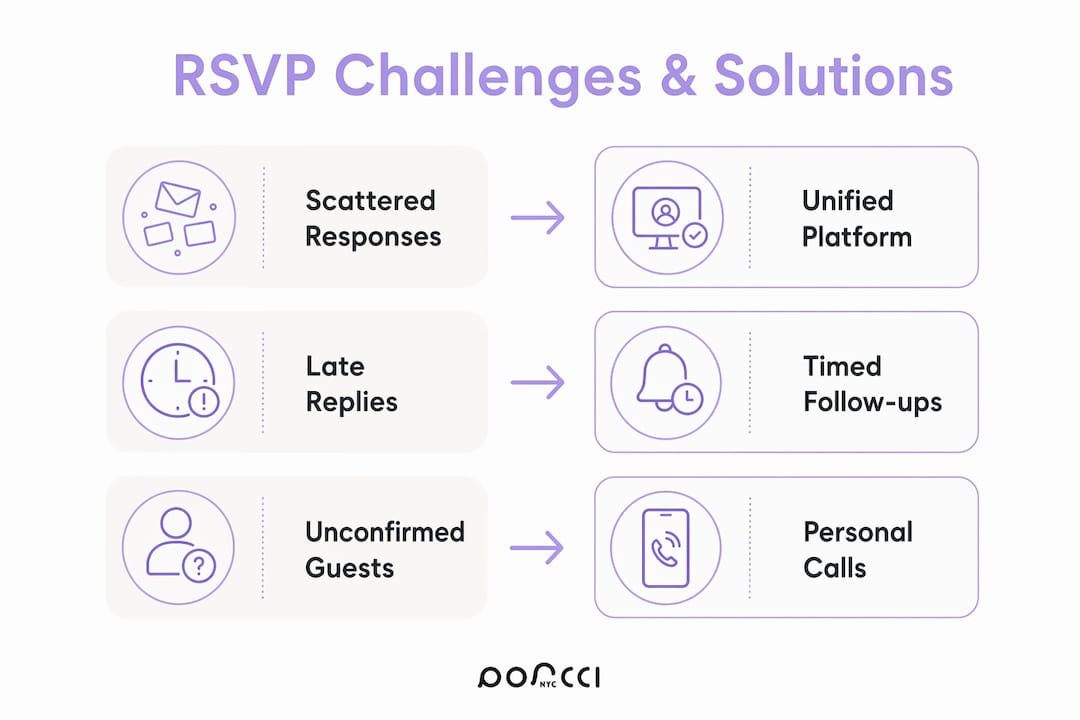
Late or missing replies are the second biggest headache. Guests often intend to respond but forget, especially when there’s no visible deadline. Putting the RSVP date directly in the invitation text, not buried in fine print, dramatically improves response rates. For catered events, setting clear deadlines and sending reminders are critical steps to reduce last-minute chaos.
Common challenges and practical solutions:
• Scattered responses: Use one invitation link for all guests so every reply lands in the same dashboard
• Vague RSVP wording: State exactly what you need (“Please confirm by [date] so we can finalize catering”)
• Data entry errors: Switch from manual spreadsheets to a digital RSVP tool that updates automatically
• Late replies: Set your internal deadline a few days before your vendor deadline to give yourself a buffer
• Last-minute cancellations: Build a small buffer into your catering and seating numbers from the start
• No-shows at free events: Require a confirmed response rather than an open-door policy
Pro Tip: Sending a confirmation message after your RSVP deadline, rather than just a reminder before it, shifts guests from “thinking about it” to “committed.” A short note that says “You’re confirmed for Saturday, here are the details” reinforces attendance and reduces no-shows noticeably.
Digital RSVP platforms have changed what’s possible for individual event organizers. Where a spreadsheet requires you to manually update every response, a digital dashboard updates the moment a guest clicks confirm. Real-time RSVP dashboards give hosts immediate visibility, so follow-ups go only to guests who haven’t yet responded rather than everyone on the list.

Personalized invitation links are one of the most underrated features of modern RSVP tools. When a guest sees their name on the invitation and submits their response through a link tied to their record, errors drop and response rates go up. The best tracking approach uses one invitation link per guest, routing all responses into a single dashboard that shows confirmed, pending, and declined status at a glance.
What digital RSVP tools give you that spreadsheets can’t:
• Live guest list with automatic status updates
• Automated reminders sent only to non-responders
• Capture of meal choices, plus-ones, and custom questions
• Integration with scheduling tools to find optimal event dates
• Exportable guest lists ready for caterers and venue coordinators
• Capacity controls that close registration once your limit is reached
For wedding planners and corporate event teams, these features aren’t luxuries. They’re what make the difference between a planning process that feels controlled and one that feels like constant catch-up. A well-designed guest experience starts long before the event itself, and a clean RSVP process is often guests’ first formal touchpoint with your event.
The most effective RSVP requests are simple, specific, and mobile-friendly. Guests are far more likely to respond when the form takes under two minutes to complete and works perfectly on a phone. Limit your questions to what you actually need for planning: attendance confirmation, meal selection if applicable, and any accessibility requirements.
Timing matters as much as design. Experts recommend setting an RSVP deadline 7–14 days before the event for most gatherings, and 4–6 weeks ahead for weddings or large catered events, so your deadline aligns with vendor commitment windows. For a private party, your event planning checklist should include the RSVP deadline as a fixed milestone tied to your catering and rental bookings.
Best practices summarized:
• Set a deadline that gives vendors enough lead time, not just guests
• Use a single, consistent RSVP channel to avoid fragmented responses
• Personalize invitations with the guest’s name to build professionalism
• Send reminders only to non-responders, not the entire guest list
• Use multi-stage communication to distinguish intent from confirmed attendance
• Plan for a small percentage of last-minute changes by building flexibility into your numbers
Effective RSVP management is the foundation of accurate event planning, and digital tools make it far more reliable than manual tracking ever could be.
| Point | Details |
|---|---|
| Central purpose | RSVP management collects and tracks guest responses to inform catering, seating, and staffing decisions. |
| Deadline timing | Set deadlines 7–14 days out for most events, and 4–6 weeks ahead for weddings or large catered gatherings. |
| Digital advantage | Real-time dashboards replace manual spreadsheets, cutting errors and targeting follow-ups to non-responders only. |
| Reduce no-shows | Post-deadline confirmation messages shift guests from considering attendance to committing to it. |
| One channel rule | Routing all responses through a single invitation link keeps your guest list accurate and easy to manage. |
RSVP methods fall into three broad categories, and each has a distinct place depending on your event type and guest profile.
Paper response cards remain common for formal events like weddings and galas. Guests return a printed card by mail, which carries a sense of ceremony but creates real logistical work. You receive responses at different times, must manually enter data, and risk cards getting lost in the mail. For events where tradition matters, paper cards still work, but they pair best with a digital backup system.
Phone and text-based RSVPs work well for smaller, informal gatherings where guests are comfortable calling or texting a host directly. The problem scales quickly. Once your guest list grows past a few dozen people, tracking phone responses manually becomes error-prone and time-consuming.
Online RSVP platforms are the most practical choice for the majority of events today. Guests respond through a link on any device, responses update automatically, and you can capture additional information beyond a simple yes or no. For corporate events, the staffing and logistics workflow depends directly on having accurate RSVP data, which online platforms deliver far more reliably than paper or phone methods.
An effective RSVP page is often guests’ first formal touchpoint with your event, and its design directly influences whether they respond at all. A cluttered, confusing form signals disorganization before the event even begins. A clean, branded page signals that you’re running a professional event worth attending.
Three elements drive response rates more than anything else. First, clarity: state the event name, date, location, and deadline in the first few lines, with no ambiguity about what you’re asking. Second, brevity: ask only for information you’ll actually use. Every extra question reduces completion rates. Third, timing: send invitations early enough that guests can plan, but not so early that the event feels distant and the RSVP slips their mind.
For wording, be direct. “Please confirm your attendance by [date]” outperforms vague phrasing like “Let us know if you can make it.” Include a specific reason the deadline matters, such as “We need your response to finalize catering,” and guests are more likely to treat it as a real deadline rather than a suggestion.
The most common follow-up mistake is sending a reminder to your entire guest list. Guests who already confirmed don’t need a nudge, and messaging them again can feel dismissive of the response they already gave. Digital RSVP dashboards solve this by filtering your pending list automatically, so reminders go only to guests who haven’t replied.

For casual events, one reminder sent three to five days before your RSVP deadline is usually enough. For weddings or catered events, send an earlier reminder, then a final one close to the deadline. Keep the message short and practical: include the event name, the deadline, and the response link. A note like “We’re finalizing food and seating and need your reply by Friday” gives guests a concrete reason to act.
Some guests genuinely need a personal touch. For close family or key attendees, a direct text or phone call is more effective than a third automated reminder. Knowing when to switch from automated follow-up to personal outreach is part of managing RSVPs well.
Your confirmed headcount is the number that drives almost every vendor conversation. Caterers need a final count to price per-head meals and prepare the right quantities. Venue coordinators use it to set table configurations and confirm room capacity. For events with overnight guests, your confirmed list determines how many room blocks to hold at the hotel.
The connection runs deeper than just totals. When your RSVP form captures meal selections, dietary restrictions, and accessibility needs, that data flows directly into your planning documents. A guest who requested a vegetarian meal needs to be flagged for the caterer. A guest who noted mobility limitations needs to be assigned a ground-floor table. Treating RSVP data as a planning input, not just a headcount, is what separates a well-run event from a reactive one.
For private parties, this integration is equally important. Your private party planning process should treat the final RSVP count as the trigger for confirming rentals, finalizing your entertainment setup, and locking in your catering order. When your RSVP system and your vendor commitments are aligned, event day runs on real information rather than guesswork.
RSVP management is the organized process of collecting, tracking, and acting on guest attendance responses to plan event logistics accurately. It covers everything from sending invitations and setting deadlines to following up with non-responders and sharing final counts with vendors.
Any event where food, seating, or space depends on a headcount benefits from formal RSVP tracking, including weddings, corporate gatherings, birthday parties, baby showers, and catered dinners. Free events with open attendance still benefit because no-show rates at free events can often be high, making a response requirement useful for realistic planning.
The most efficient approach is to direct all guests to one invitation link, use a digital dashboard to track responses in real time, and send reminders only to guests who haven’t replied. Setting a deadline aligned with your vendor commitments keeps the entire process on schedule.
The right platform depends on your event size and needs. Look for tools that offer real-time dashboards, personalized invitation links, automated reminders, and the ability to capture guest details beyond a simple yes or no. For most individual organizers, any platform that centralizes responses and eliminates manual data entry will outperform a spreadsheet.
Discover what is event RSVP management and learn how to streamline guest responses for better planning, logistics, and stress-free events.
Event RSVP management is the systematic process of collecting, tracking, and organizing guest attendance responses so you can make confident decisions about venue capacity, catering, seating, and staffing. The term RSVP comes from the French phrase “répondez s’il vous plaît,” which translates simply to “please respond.” Without a reliable system behind that request, even a well-planned event can unravel fast.
At its core, managing RSVPs means more than counting yeses and nos. It means maintaining an accurate, up-to-date guest list that feeds directly into every logistical decision you make. Here’s what a complete RSVP management process covers:
• Collecting responses through a consistent, centralized channel
• Tracking confirmed, pending, and declined guests in real time
• Capturing additional details like meal preferences, plus-ones, and accessibility needs
• Setting and communicating a clear response deadline
• Following up with guests who haven’t replied
• Updating vendor and venue commitments as your headcount firms up
The shift from manual spreadsheets to digital RSVP systems has made this process far more reliable. Manual spreadsheets cause errors and inefficiencies that centralized online tools eliminate by automating updates and consolidating all guest data in one place.
Getting your RSVP process right pays off across every part of your event. The most direct benefit is an accurate headcount, which protects your catering budget from costly over-ordering or the embarrassment of running short. Beyond that, knowing who’s coming lets you allocate staffing, arrange seating, and plan entertainment with real numbers rather than estimates.
Effective RSVP management also improves the guest experience. When you know a guest has a dietary restriction or needs accessible seating, you can prepare in advance rather than scrambling on the day. That kind of attention builds trust and makes guests feel genuinely welcomed.
Key benefits at a glance:
• Accurate headcount prevents over-catering and under-staffing
• Better budget control across food, rentals, and venue space
• Ability to capture guest preferences and special requirements early
• Reduced last-minute stress from unknown attendance numbers
• Cleaner communication with vendors who need firm commitments
• A more personalized, professional experience for every guest
The most frequent RSVP problem is scattered responses. Guests reply by text, email, phone call, and social media comment, leaving you to manually piece together a headcount from five different places. The fix is straightforward: direct every guest to one response channel, ideally a single invitation link, and make clear that replies sent elsewhere won’t be tracked.
Late or missing replies are the second biggest headache. Guests often intend to respond but forget, especially when there’s no visible deadline. Putting the RSVP date directly in the invitation text, not buried in fine print, dramatically improves response rates. For catered events, setting clear deadlines and sending reminders are critical steps to reduce last-minute chaos.
Common challenges and practical solutions:
• Scattered responses: Use one invitation link for all guests so every reply lands in the same dashboard
• Vague RSVP wording: State exactly what you need (“Please confirm by [date] so we can finalize catering”)
• Data entry errors: Switch from manual spreadsheets to a digital RSVP tool that updates automatically
• Late replies: Set your internal deadline a few days before your vendor deadline to give yourself a buffer
• Last-minute cancellations: Build a small buffer into your catering and seating numbers from the start
• No-shows at free events: Require a confirmed response rather than an open-door policy
Pro Tip: Sending a confirmation message after your RSVP deadline, rather than just a reminder before it, shifts guests from “thinking about it” to “committed.” A short note that says “You’re confirmed for Saturday, here are the details” reinforces attendance and reduces no-shows noticeably.
Digital RSVP platforms have changed what’s possible for individual event organizers. Where a spreadsheet requires you to manually update every response, a digital dashboard updates the moment a guest clicks confirm. Real-time RSVP dashboards give hosts immediate visibility, so follow-ups go only to guests who haven’t yet responded rather than everyone on the list.
Personalized invitation links are one of the most underrated features of modern RSVP tools. When a guest sees their name on the invitation and submits their response through a link tied to their record, errors drop and response rates go up. The best tracking approach uses one invitation link per guest, routing all responses into a single dashboard that shows confirmed, pending, and declined status at a glance.
What digital RSVP tools give you that spreadsheets can’t:
• Live guest list with automatic status updates
• Automated reminders sent only to non-responders
• Capture of meal choices, plus-ones, and custom questions
• Integration with scheduling tools to find optimal event dates
• Exportable guest lists ready for caterers and venue coordinators
• Capacity controls that close registration once your limit is reached
For wedding planners and corporate event teams, these features aren’t luxuries. They’re what make the difference between a planning process that feels controlled and one that feels like constant catch-up. A well-designed guest experience starts long before the event itself, and a clean RSVP process is often guests’ first formal touchpoint with your event.
The most effective RSVP requests are simple, specific, and mobile-friendly. Guests are far more likely to respond when the form takes under two minutes to complete and works perfectly on a phone. Limit your questions to what you actually need for planning: attendance confirmation, meal selection if applicable, and any accessibility requirements.
Timing matters as much as design. Experts recommend setting an RSVP deadline 7–14 days before the event for most gatherings, and 4–6 weeks ahead for weddings or large catered events, so your deadline aligns with vendor commitment windows. For a private party, your event planning checklist should include the RSVP deadline as a fixed milestone tied to your catering and rental bookings.
Best practices summarized:
• Set a deadline that gives vendors enough lead time, not just guests
• Use a single, consistent RSVP channel to avoid fragmented responses
• Personalize invitations with the guest’s name to build professionalism
• Send reminders only to non-responders, not the entire guest list
• Use multi-stage communication to distinguish intent from confirmed attendance
• Plan for a small percentage of last-minute changes by building flexibility into your numbers
Effective RSVP management is the foundation of accurate event planning, and digital tools make it far more reliable than manual tracking ever could be.
| Point | Details |
|---|---|
| Central purpose | RSVP management collects and tracks guest responses to inform catering, seating, and staffing decisions. |
| Deadline timing | Set deadlines 7–14 days out for most events, and 4–6 weeks ahead for weddings or large catered gatherings. |
| Digital advantage | Real-time dashboards replace manual spreadsheets, cutting errors and targeting follow-ups to non-responders only. |
| Reduce no-shows | Post-deadline confirmation messages shift guests from considering attendance to committing to it. |
| One channel rule | Routing all responses through a single invitation link keeps your guest list accurate and easy to manage. |
RSVP methods fall into three broad categories, and each has a distinct place depending on your event type and guest profile.
Paper response cards remain common for formal events like weddings and galas. Guests return a printed card by mail, which carries a sense of ceremony but creates real logistical work. You receive responses at different times, must manually enter data, and risk cards getting lost in the mail. For events where tradition matters, paper cards still work, but they pair best with a digital backup system.
Phone and text-based RSVPs work well for smaller, informal gatherings where guests are comfortable calling or texting a host directly. The problem scales quickly. Once your guest list grows past a few dozen people, tracking phone responses manually becomes error-prone and time-consuming.
Online RSVP platforms are the most practical choice for the majority of events today. Guests respond through a link on any device, responses update automatically, and you can capture additional information beyond a simple yes or no. For corporate events, the staffing and logistics workflow depends directly on having accurate RSVP data, which online platforms deliver far more reliably than paper or phone methods.
An effective RSVP page is often guests’ first formal touchpoint with your event, and its design directly influences whether they respond at all. A cluttered, confusing form signals disorganization before the event even begins. A clean, branded page signals that you’re running a professional event worth attending.
Three elements drive response rates more than anything else. First, clarity: state the event name, date, location, and deadline in the first few lines, with no ambiguity about what you’re asking. Second, brevity: ask only for information you’ll actually use. Every extra question reduces completion rates. Third, timing: send invitations early enough that guests can plan, but not so early that the event feels distant and the RSVP slips their mind.
For wording, be direct. “Please confirm your attendance by [date]” outperforms vague phrasing like “Let us know if you can make it.” Include a specific reason the deadline matters, such as “We need your response to finalize catering,” and guests are more likely to treat it as a real deadline rather than a suggestion.
The most common follow-up mistake is sending a reminder to your entire guest list. Guests who already confirmed don’t need a nudge, and messaging them again can feel dismissive of the response they already gave. Digital RSVP dashboards solve this by filtering your pending list automatically, so reminders go only to guests who haven’t replied.
For casual events, one reminder sent three to five days before your RSVP deadline is usually enough. For weddings or catered events, send an earlier reminder, then a final one close to the deadline. Keep the message short and practical: include the event name, the deadline, and the response link. A note like “We’re finalizing food and seating and need your reply by Friday” gives guests a concrete reason to act.
Some guests genuinely need a personal touch. For close family or key attendees, a direct text or phone call is more effective than a third automated reminder. Knowing when to switch from automated follow-up to personal outreach is part of managing RSVPs well.
Your confirmed headcount is the number that drives almost every vendor conversation. Caterers need a final count to price per-head meals and prepare the right quantities. Venue coordinators use it to set table configurations and confirm room capacity. For events with overnight guests, your confirmed list determines how many room blocks to hold at the hotel.
The connection runs deeper than just totals. When your RSVP form captures meal selections, dietary restrictions, and accessibility needs, that data flows directly into your planning documents. A guest who requested a vegetarian meal needs to be flagged for the caterer. A guest who noted mobility limitations needs to be assigned a ground-floor table. Treating RSVP data as a planning input, not just a headcount, is what separates a well-run event from a reactive one.
For private parties, this integration is equally important. Your private party planning process should treat the final RSVP count as the trigger for confirming rentals, finalizing your entertainment setup, and locking in your catering order. When your RSVP system and your vendor commitments are aligned, event day runs on real information rather than guesswork.
RSVP management is the organized process of collecting, tracking, and acting on guest attendance responses to plan event logistics accurately. It covers everything from sending invitations and setting deadlines to following up with non-responders and sharing final counts with vendors.
Any event where food, seating, or space depends on a headcount benefits from formal RSVP tracking, including weddings, corporate gatherings, birthday parties, baby showers, and catered dinners. Free events with open attendance still benefit because no-show rates at free events can often be high, making a response requirement useful for realistic planning.
The most efficient approach is to direct all guests to one invitation link, use a digital dashboard to track responses in real time, and send reminders only to guests who haven’t replied. Setting a deadline aligned with your vendor commitments keeps the entire process on schedule.
The right platform depends on your event size and needs. Look for tools that offer real-time dashboards, personalized invitation links, automated reminders, and the ability to capture guest details beyond a simple yes or no. For most individual organizers, any platform that centralizes responses and eliminates manual data entry will outperform a spreadsheet.


